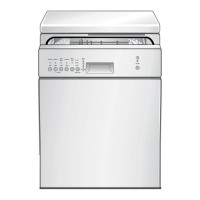
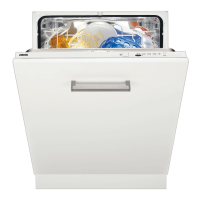
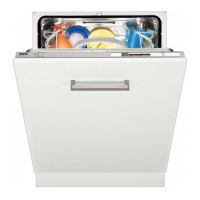
This document describes the Zanussi ZSFN132W1 dishwasher, providing instructions for its safe use, operation, and maintenance.
Function Description
The Zanussi ZSFN132W1 is a household dishwasher designed for cleaning dishes and tableware. It operates by using water, detergent, and rinse aid to wash and dry items, with various programmes tailored to different levels of soil and load types. The appliance features a water softener system to manage water hardness, ensuring optimal washing results and protecting the appliance from limescale buildup. An AirDry function is integrated to enhance drying performance and reduce energy consumption by automatically opening the door during the drying phase.
Usage Features
The dishwasher offers a range of programmes, including an ECO programme for efficient water and energy consumption, a 160-minute programme for normal to heavy, dried-on soil, a 90-minute programme for normal, lightly dried-on soil, and a 30-minute programme for fresh crockery and cutlery. There is also a quick rinse programme for food remains without detergent.
Control Panel: The control panel includes an on/off indicator, programme marker, various indicators (drying phase, salt, rinse aid, washing phase, rinsing phase), a delay button, a start button, and a programme knob.
Programme Selection and Start: To start a programme, the user opens the water tap, closes the appliance door, turns the programme knob to align with the desired programme, and then presses the start button. The appliance will then begin the selected programme.
Delay Start: A delay start function allows users to postpone the programme start by 3 hours. This is set by selecting a programme, pressing the delay button, and then pressing the start button to begin the countdown.
Water Softener: The water softener level can be adjusted based on the local water hardness to ensure effective cleaning and prevent limescale. The appliance provides a salt refill indicator to alert users when the salt container needs refilling.
Rinse Aid Dispenser: The rinse aid dispenser helps in drying dishes without streaks and stains. Users can adjust the rinse aid dosage from level 1 (minimum) to level 8 (maximum), with level 0 deactivating the dispenser. An indicator signals when the rinse aid chamber is empty, though this notification can be deactivated if multi-tablets are used and drying results are satisfactory.
Detergent Dispenser: Detergent, available in tablets, powder, or gel, is added to a dedicated compartment. For programmes with a prewash phase, a small quantity of detergent can be placed on the inner part of the appliance door.
Loading Baskets: The dishwasher is equipped with a lower basket, an upper basket, and a cutlery drawer. Users are advised to load items with openings facing downwards, ensure glasses do not touch, place light or plastic items in the upper basket, and arrange cutlery and small items in the cutlery drawer. Overloading should be avoided, and items should not touch or cover each other to allow water to reach all surfaces.
AirDry Function: This feature automatically opens the appliance door during the drying phase to improve drying results and save energy. Users are cautioned not to close the door within 2 minutes of automatic opening to prevent damage. The AirDry function can be deactivated if desired, particularly if children have access to the appliance.
Auto Off Function: To save energy, the appliance automatically switches off when a programme is complete or after 5 minutes if a programme was not started.
Maintenance Features
General Care: The appliance interior should be cleaned with a soft damp cloth, avoiding abrasive products, sharp tools, or strong chemicals. The door, including the rubber gasket, should be wiped clean weekly.
Cleaning Products: To maintain performance, a cleaning product designed for dishwashers should be used at least once every two months. Running long-duration programmes regularly is recommended to prevent grease and limescale buildup, especially if short-duration programmes are frequently used.
Filter System: The filter system, consisting of three parts, should be checked and cleaned regularly to prevent decreased washing results. To clean, the filter (B) is turned counterclockwise and removed, followed by the removal of filter (C) and the flat filter (A). All parts are then washed under running water, ensuring no food residues remain, and reassembled correctly.
Spray Arms: Both the lower and upper spray arms should be cleaned regularly to prevent soil from clogging the holes, which can lead to unsatisfactory washing results.
- Lower Spray Arm: To remove, pull it upwards. After washing under running water and clearing any clogged holes with a pointed tool, press it downwards to reinstall.
- Upper Spray Arms: These are located under the upper basket. To detach, pull out the upper basket, then turn the mounting element (C) clockwise. After cleaning, insert the mounting element into the spray arm and fix it in the duct (A) by turning it counterclockwise until it locks into place.
Salt Container: The salt container needs refilling when the salt indicator is on. For the first use, 1 litre of water should be added before filling with 1 kg of salt. After filling, the cap must be turned clockwise to close tightly. It is important to start a programme immediately after refilling to prevent corrosion from any spilled water and salt. Only rough salt designed for dishwashers should be used.
Rinse Aid Dispenser: The rinse aid dispenser should be refilled when the rinse aid indicator is on. The lid (B) is opened by pressing the release element (A), and rinse aid is poured into compartment (C) until it reaches the "FILL" mark. Any spilled rinse aid should be wiped away to prevent excessive foam. The lid must then be closed securely. Only rinse aid specifically designed for dishwashers should be used.
Troubleshooting: The manual provides a comprehensive troubleshooting guide for common issues, including the appliance not activating, programmes not starting, water filling or draining problems, anti-flood device activation, and various alarm codes indicated by flashing lights. Solutions range from checking power connections and water supply to cleaning filters and adjusting settings. For problems not listed or if issues persist, users are advised to contact an Authorised Service Centre.
Disposal: The appliance and its packaging materials should be recycled in accordance with local regulations, separating electrical and electronic waste from household waste. The door catch should be removed before disposal to prevent children or pets from getting trapped.



 To Next Page
 General