Page - 24/43 AEXZP0BB - ECO SMART DISPLAY - User Manual
7.7 Tester menu
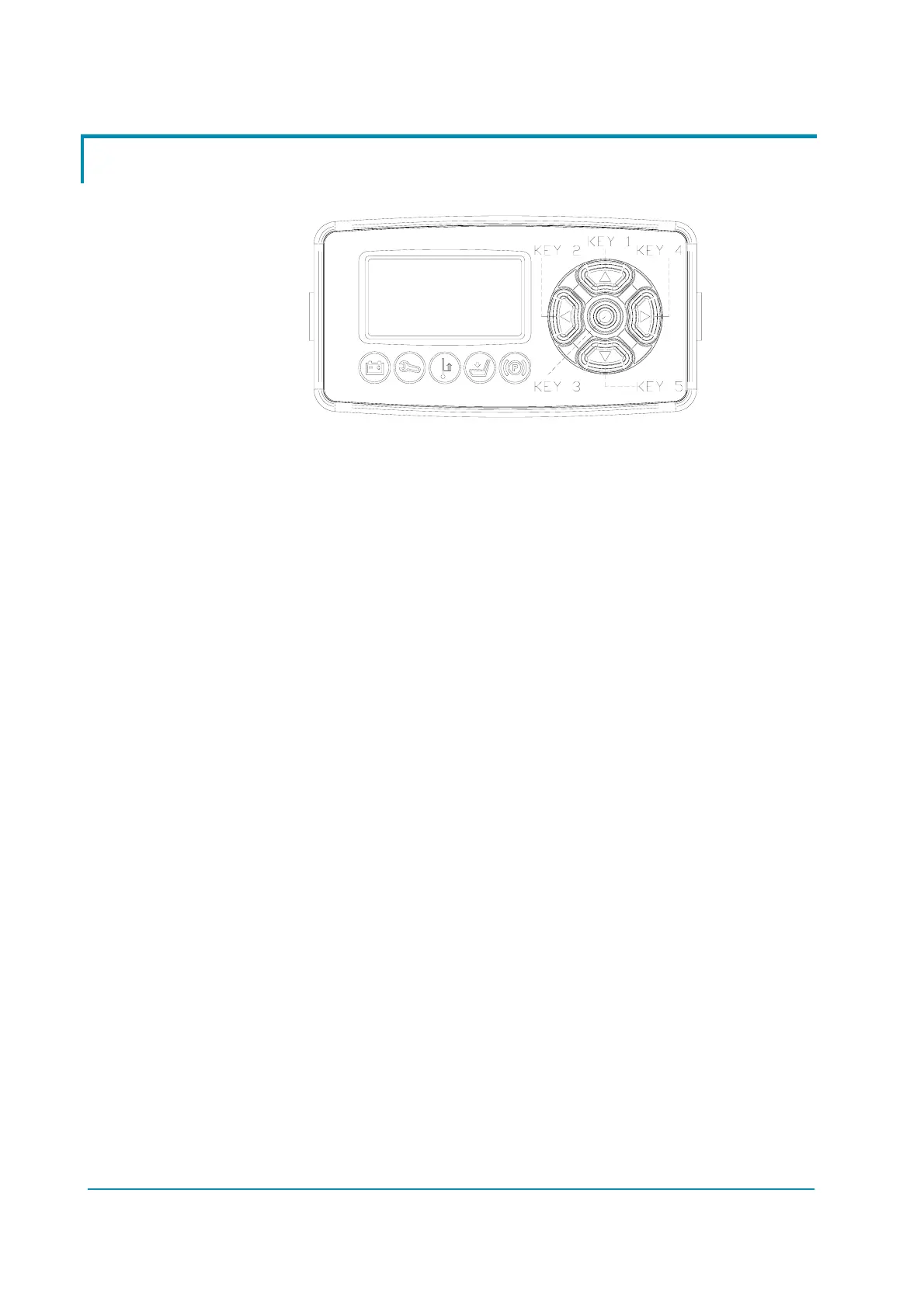
Status of keyboard buttons can be monitored in real time in the TESTER menu.
1) KEY 1
Status of (S) keyboard button:
- ON = Input active, button pushed
- OFF = Input not active, button released
2) KEY 2
Status of (W) keyboard button:
- ON = Input active, button pushed
- OFF = Input not active, button released
3) KEY 3
Status of () keyboard button:
- ON = Input active, button pushed
- OFF = Input not active, button released
4) KEY 4
Status of (X) keyboard button:
- ON = Input active, button pushed
- OFF = Input not active, button released
5) KEY 5
Status of (T) keyboard button:
- ON = Input active, button pushed
- OFF = Input not active, button released


 To Next Page