17
While in search mode, the reception icon will ash
6. Turn on ZappBug Thermal Units
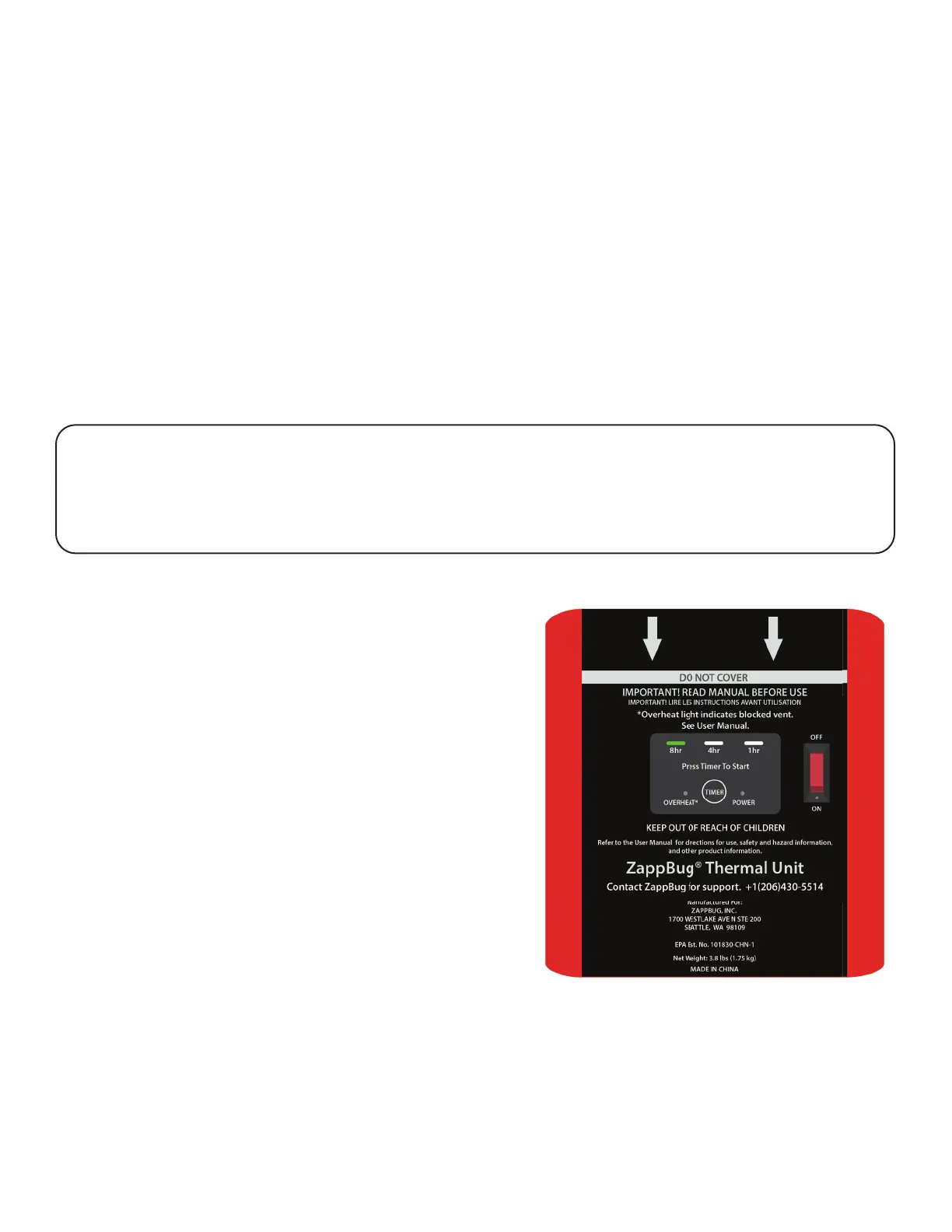
1. Plug the ZappBug thermal unit into power outlet.
2. Place power switch in ON position.
3. Press the TIMER button to select desired run time.
We recommend using the 8-hour setting for large loads and the 4-hour setting for
small to medium loads. Always use the included thermometer and thermometer
probe to con rm that the temperature reaches lethal levels. See Heat Treatment
Chart on page 20 for more information.
Use & Operation (continued)
Overheat Light
If the ZappBug thermal unit overheats, the
Overheat light will turn on and the ZappBug
thermal unit will begin to beep.
If the overheat light is on, turn the ZappBug
thermal unit off by switching the power
switch to the OFF position. Remove the
ZappBug thermal unit from the ventilation
tube and allow it to cool for 20 minutes.
The ZappBug thermal unit overheats when
hot air is being blocked from exiting the
ZappBug thermal unit. Before restarting
the treatment, be sure that all ZappBug
enclosure contents are at least
6 inches away from the ZappBug thermal
unit to ensure proper air circulation.
If the problem persists, contact ZappBug customer service.
* The Room requires independent power circuits for each ZappBug thermal unit.
Safety Note: Each ZappBug thermal unit draws 1500 watts of electrical power.
Do not use extension cords rated below 1500 watts. Each ZappBug thermal unit
should be plugged into a separate circuit, using the included extension cord if
necessary.


 To Next Page