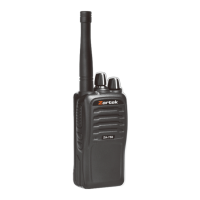
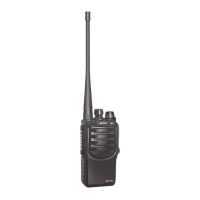
The Zartek RX-8 is a lightweight, palm-sized two-way radio designed for license-free communication, primarily for personal and commercial use. It operates on the PMR 446MHz band, offering 8 main frequencies and 121 tones (38 CTCSS codes + 83 DCS codes), resulting in 968 channel combinations. This allows for instant communication with groups of users on the same channel without airtime charges.
Function Description:
The RX-8 enables two-way radio communication, allowing users to talk and listen to others within range on the same channel and code combination. It supports hands-free operation via VOX (Voice Activated Transmission) with 3 levels of sensitivity, a call function with 10 different tones to alert other users, and a dual watch feature to monitor two channels simultaneously. The radio also includes channel scanning to search for transmitting activity and a squelch function to adjust receiver sensitivity, filtering out weaker or noisier signals. A keypad lock feature prevents accidental changes to settings.
Important Technical Specifications:
- Product Number: RX-8
- Frequency Range: 446MHz
- Channel Number: 8
- Channel Spacing: 12.5KHz
- Working Voltage: 3.6V
- Frequency Stability: ±2.5ppm
- Operating Temperature Range: -20℃ to 50℃
- Antenna Impedance: 50Ω
- Overall Dimensions (incl. Antenna & Belt Clip): 16 x 4 x 5.5cm (1605528mm)
- Weight (incl. Batteries): 150g (90g without batteries)
- RF Power: 0.5W
- Modulation Method: 11kΦF3E
- Noise and Harmonic: <-40dB
- Residual Radiation: ≤-35dB
- Modulation Distortion: ≤7%
- Maximum Deviation: ≤±5KHz
- Receiver Sensitivity: ≤0.2uV
- Modulation Receiver Bandwidth: ±5KHz
- Adjacent Selective: ≥40dB
- Intermodulation Interference Resistance: ≥35dB
- Spurious Response Inhibition: ≥70dB
- Audio Output Power: ≥300mW
- Audio Distortion: ≤8%
- Battery Type: 3 x AA batteries (Alkaline or rechargeable NiMH)
- Average Usage Time per Charge: 50 hours (5% TX, 5% RX, 90% Standby)
Usage Features:
- Power ON/OFF: Press and hold the power button for 3 seconds.
- Channel Selection: Press the MENU key once, then use UP/DOWN keys to select the desired channel (1-8). Confirm with PTT or MENU.
- Code Function: Press the MENU key twice, then use UP/DOWN keys to select a code (01-121, 00 for OFF). This enhances communication privacy by allowing only users with the same code to listen and talk.
- Speaking to Another Radio: Press and hold the PTT key, speak into the microphone (3-5 cm away), then release. The TX icon will indicate transmission.
- Listening to Another Radio: The radio automatically receives transmissions on the same channel. Avoid pressing PTT while listening.
- Volume Adjustment: Use the UP key to increase volume and the DOWN key to decrease volume (8 levels).
- Talk Time-Out Function: Prevents continuous transmission by stopping after 180 seconds of holding PTT or continuous VOX activity, sounding a warning tone.
- Range: Varies from 500m indoors to 5kms outdoors, depending on terrain and environment. Signal penetration is affected by material density, while reflection allows signals to bounce off large structures. Line-of-sight provides the longest ranges.
- Call Tones: Press the MENU key three times to access Call Tone settings, then use UP/DOWN keys to select one of 10 tones. Press the MON key to send the selected tone.
- VOX (Hands-Free Function): Press the MENU key four times, then use UP/DOWN keys to select sensitivity (OF, 1, 2, or 3). Transmits automatically when sound is detected. Works best when speaking directly into the microphone.
- Dual Watch: Press the MENU key five times. Allows monitoring of two channels. Set tones for both channels, then select the first channel as the main. The second channel number will flash for selection. Use UP/DOWN to select the second channel, confirm with PTT. Select OF to stop.
- Squelch: Press the MENU key six times. Use UP/DOWN keys to select receiver sensitivity level (01-06). 01 is high sensitivity for weaker signals, 06 is low sensitivity for stronger, clearer signals.
- Scanning Channels: Press the scan key once to begin. The radio continuously scans all 8 channels and locks onto active ones. Use PTT to stop scanning and reply. Use UP/DOWN to skip unwanted active channels.
- Keypad Lock: Press and hold the MENU key for 3 seconds to lock/unlock the keypad. The lock icon will appear/disappear.
- Monitor: Press and hold the MON key to open the main channel and monitor its frequency for any activity.
- External Mic/Headset Socket: The radio is fitted with a socket for an external microphone speaker headset (PTT or VOX compatible).
Maintenance Features:
- Battery Installation: Remove belt clip, lift door release clip, insert 3 x AA batteries following polarity markings. Close battery door tightly. Rechargeable NiMH AA batteries can be used.
- Battery Low Indicator: A "Beep" sound indicates low battery. Replace Alkaline batteries or recharge NiMH batteries. The radio powers off to protect battery life when voltage drops too low.
- Recharging NiMH Batteries: For twinpack options, use the provided mains USB adaptor and dual pin USB charging cable. Lift the rubber cover to access the charging socket. Battery level indicator fills during charging. Charge time is 3 hours.
- Cleaning: Wipe with a soft cloth dampened with water. Do not use solvents or cleaners.
- Water Exposure: If the radio gets wet, turn it OFF, remove batteries immediately, and dry the battery compartment completely before use. Water damage is usually irreparable.
- Storage: Remove batteries if storing for longer than 1 month.
- Disposal: Dispose of electrical and electronic products, including batteries, separately from municipal waste at designated collection facilities.
Warnings & Precautions:
- Avoid prolonged direct exposure to sunlight and heat.
- Use only specified batteries, chargers, and cables.
- Do not operate in hazardous environments (risk of explosion/fire).
- Turn off radio in areas with electromagnetic interference notices (hospitals, aircraft).
- Limit transmitting to less than 50% of the time to control exposure.
- Do not operate near unshielded electrical blasting caps or in "blasting areas."
- Do not operate in high humidity, dusty, or very wet environments.
- Do not attempt to modify the radio.
- Do not operate if the antenna is damaged.
- The LCD display is made of glass and can be damaged if dropped.
- Ensure correct battery polarity.
- Dispose of damaged or non-working batteries safely.
- Never discard batteries into fire or heat.
- Do not recharge or disassemble Alkaline batteries.
- Do not mix battery types or use old and new batteries together.
- Keep batteries away from children. Seek immediate medical attention if swallowed.
- Exercise care when handling charged batteries to avoid short circuits.
- Do not expose the charger to rain or snow.
- Do not operate or disassemble the charger if damaged.
- Never alter the charger cord or plug.
- Pull the plug, not the cord, when disconnecting the charger.
- Unplug the charger before maintenance or cleaning.
- Use of non-recommended attachments may result in fire, electric shock, or injury.
- Ensure the cord is located where it will not be stepped on, tripped over, or damaged.
Warranty:
The Zartek RX-8 comes with a 12-month factory warranty against manufacturing defects under normal use. The warranty does not cover speakers, batteries, or accessories, and is void if the product has been tampered with or subjected to willful or accidental damage.

 Need help?
 General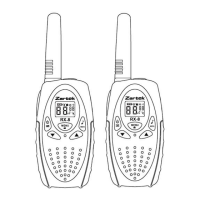

 To Next Page