EasyManua.ls Logo

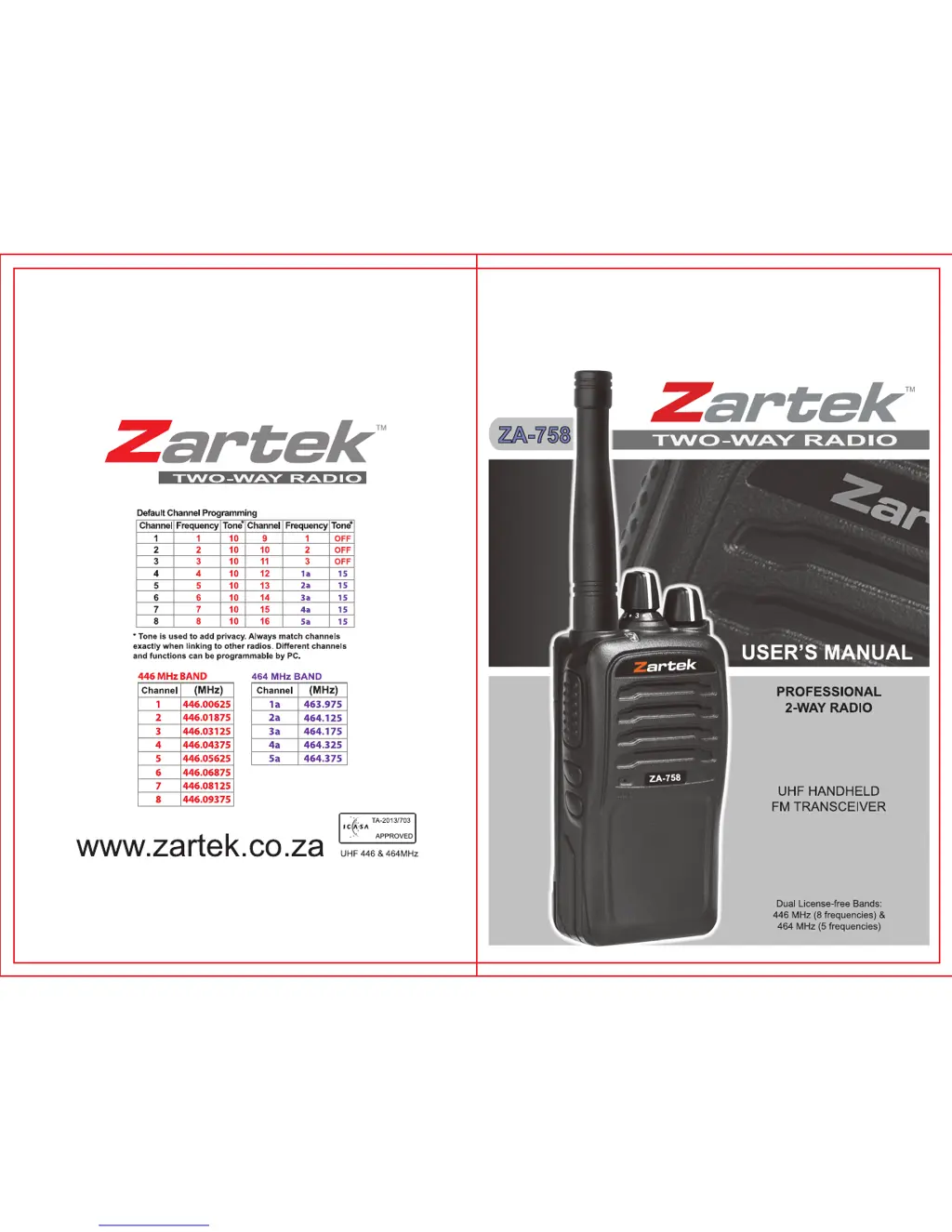
Zartek ZA-758 - User Manual

Zartek ZA-758
19 pages
Print Icon
To Next Page IconTo Next Page
Loading...

Questions and Answers

  • K
    kennedymartinAug 1, 2025
    Why can't I hear other members on my Zartek ZA-758?
    • B
      Brett DuranAug 1, 2025
      If you can't communicate with other members of your group using the Zartek Two-Way Radio, it might be because they are too far away. Ensure that you are all within the specified operating range of the transceivers to maintain effective communication.
  • R
    Rachel GarciaAug 8, 2025
    What to do if Zartek Two-Way Radio battery dies fast?
    • S
      smithdaleAug 8, 2025
      If your Zartek Two-Way Radio battery dies quickly after charging, it's likely that the battery pack has reached the end of its life. Replace it with a new battery pack to resolve this issue.
  • T
    Theresa WallsAug 15, 2025
    How to block other voices on Zartek Two-Way Radio?
    • A
      Andrew KnightAug 16, 2025
      If you are experiencing unwanted voices on your Zartek Two-Way Radio channels, try changing the QT/DQT settings. Also, ensure that all transceivers in your group have the same tone set.
  • A
    Autumn MaddenAug 25, 2025
    Why Zartek Two-Way Radio won't turn on?
    • S
      sscottAug 25, 2025
      If your Zartek Two-Way Radio has no power, the battery pack may be dead. Try recharging or replacing the battery pack. Also, the battery pack may not be installed correctly. Remove the battery pack and install it again.

Summary

SAFETY INFORMATION

BATTERY INFORMATION

RADIO OVERVIEW

GETTING STARTED

Install & Remove the Battery

Step-by-step guide for installing and removing the radio's battery pack.

Install & Remove the Antenna

Instructions for attaching and detaching the radio's antenna securely.

Install & Remove the Belt Clip

Steps for attaching and removing the belt clip using screws.

Install & Remove the headset; programming cable

How to connect and disconnect headset and programming cables.

Charging the Battery

Detailed instructions on how to charge the radio's battery pack correctly.

BASIC OPERATION

Power On;Off

How to turn the radio on and off using the power knob.

PROGRAMMING (OPTIONAL)

PROGRAMMABLE SIDE KEYS

VOX

Voice activation for hands-free operation.

AUXILIARY FUNCTIONS

Squelch

Adjusts sensitivity to filter out background noise.

Scan

Function to automatically search for active channels.

Password Protecting Programming

Secures radio programming with a 6-digit software password.

VOX (Voice-operated Transmission)

Enables hands-free operation via voice activation.

VOX level

Adjusts microphone sensitivity for voice activation.

VOX Delay time

Sets a delay to keep the microphone active after voice input.

Emergency Alarm

Triggers a siren for emergency notification.

Scramble

TROUBLESHOOTING

SPECIFICATION

Zartek ZA-758 Specifications

General IconGeneral
BrandZartek
ModelZA-758
CategoryTwo-Way Radio
LanguageEnglish

Related product manuals