transmit power to high power, medium power or
low power.
Marks: The function can not be set as under the
aeronautical frequency range and the radio
frequency.
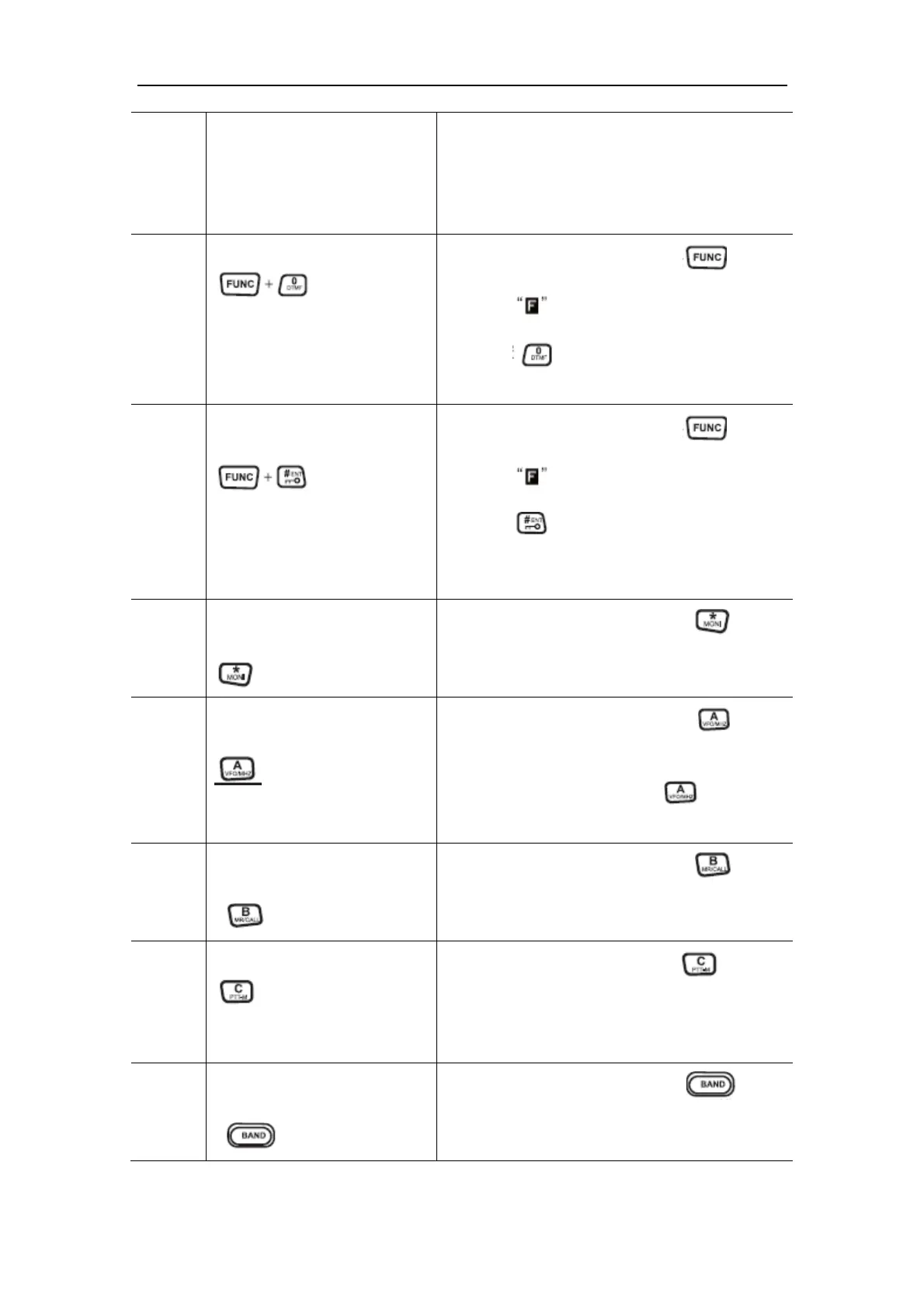
10 Function Setting of the DTMF
Under the standby mode, press the key first,
after the is displayed on the screen then
press the key to enter the function setting
mode of the DTMF.
11 Lock or Unlock the Keyboard of
the Front Panel
Under the standby mode, press the key first,
after the is displayed on the screen then
press the key for 1 second to start the key
lock of the front panel. Repeat the avove step to
unlock the keyboard of the front panel.
12 Start or Close the Monitor
Function
Under the standby mode, press the key to
start the monitor operation, press it again to close
the operation.
13 Frequency Mode or MHz
Adjustment Mode Setting
Under the standby mode, press the key to
choose the VFO mode.
Under the VFO mode, press the key to enter
the MHz Adjustment Mode.
14 Channel Mode Setting or CALL
Mode Setting
Under the standby mode, press the key to
choose the Channel Mode/CALL Mode.
15 Key Lock of the PTT
Under the standby mode, hold the for more
than 1 second to start the key lock function of the
PTT. Repeat the above step to unclock the
keyboard of the PTT.
16 Mode Setting of the Mian
Channel and Side Channel
Under the standby mode, press the key to
respectively switch the left engine and right engine
to main channel mode.


 To Next Page
 Loading...