EasyManua.ls Logo

Zastone ZT-9908 - User Manual

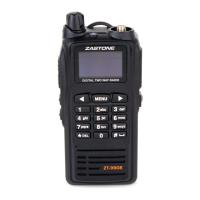
Zastone ZT-9908
47 pages
Print Icon
To Next Page IconTo Next Page
Loading...
11
Contents
Contents……………………………………..........................................……………………...........….…..............…01
Introduction…………………………………………………………………………..…............................................02
Included………………………………………………………………………………............................................…02
Table of Spare Parts……………………………………………………….....................................................….……03
Main Features…………………………………………………………..........................................................…...…..04
Technical Specifications……………………………………………….............................................................……..05
Know The Radio…………………………………………………….............................................…......……....……06
Preparation for Use.………………………………………............................................…………………....………..09
Basic Functions……………………………………..............................................………………...………….……..14
Menu Operation Instruction…………………………...............................................………………………….….....16
Programmable Key Function…………………………..................................................……………..………………32
Auxiliary Function………………………………………………….............................................…………………..41
Troubleshooting………………………………………………………....................................................……………46
Appendix:CTCSS/DCS List……………………………..…………………………...........................................……47
Question and Answer IconNeed help?

Do you have a question about the Zastone ZT-9908 and is the answer not in the manual?

Summary

Introduction to the Radio

Included Items

Details about what is included in the product package.

Table of Spare Parts

Product Features

Technical Specifications

Know Your Radio

Radio Component Scheme

Diagram illustrating the different parts and components of the radio.

Menu Display Icons and Features

Initial Setup and Preparation

Installing the Antenna

Instructions for properly attaching the antenna to the radio.

Battery Management

Battery Installation Procedure

Steps for installing the battery pack into the radio.

Battery Removal Procedure

Instructions on how to remove the battery from the radio.

Belt Clip Attachment and Removal

External Devices and Charging

Connecting an External Microphone

Guide for connecting an external microphone to the radio.

Battery Charging Process

Procedures for charging the radio's battery.

Detailed Charging Steps

Essential Radio Functions

Power On and Off Operations

How to turn the radio on and off, including password settings.

Channel Selection and Programming

Procedures for choosing and programming radio channels.

Transmitting Audio

Guide on how to transmit using the Push-To-Talk (PTT) button.

Receiving Incoming Calls

Navigating Radio Menus

Menu Operation Guide

Step-by-step guide for operating the radio's menu system.

Digital Mode Menu Settings Explained

Hot Key and Power-On Operations

Hot Key Functionality

Explains the functions assigned to hot keys in different modes.

Power-On Mode Access

Instructions for accessing different modes by combining power-on with key presses.

Character Input Methods

Typing Method Guide

Explains two methods for character input: cycling and DTMF keys.

Programmable Key Customization

SCAN Functionality

Temporary Channel Lockout

How to temporarily disable channels from scanning.

Priority Scan Setup

Setting and using a priority channel for scanning.

Scan Operations and Modes

Scan Revert Feature

Functionality for reverting to the scanned channel.

Scan List Management

How to add or remove channels from the scan list.

VFO Band Scanning

Scanning the entire frequency band with various steps.

DTMF Communication Features

Manual DTMF Calling

Making a call using DTMF keys.

DTMF Code Management

Storing and Transmitting DTMF Codes

Storing and transmitting pre-programmed DTMF codes.

Automatic DTMF Dialing

Automatic dialing using pre-programmed DTMF lists.

Stun and Kill Remote Control

Remotely disabling or enabling the transceiver.

DPRM System Operations

Contact List Management

Adding, editing, and deleting contacts in the contact list.

DPRM Message Operations

Sending Text Messages

Procedures for composing and sending messages.

DPRM Message Management

Checking Received Messages

How to view received messages and sender information.

Deleting Received Messages

Methods for deleting received messages.

Emergency Call Procedures

VOX Functionality

Voice Encryption

Monitor Functionality

CTCSS;DCS Configuration

CTCSS;DCS Setting Guide

How to set CTCSS and DCS codes for selective communication.

Auxiliary Radio Functions

Time-Out Timer (TOT) Settings

Configuration of the time-out timer for transmissions.

Power Save Mode Activation

Enabling power saving features to conserve battery life.

Keypad Lock and Unlock

How to lock and unlock the keypad to prevent accidental presses.

Battery Status Indicators

Understanding the battery status indicators.

Signal and Channel Mode Operations

Signal Strength Indication Guide

Interpreting the icons that show signal reception strength.

Busy Channel Lock-Out (BCLO)

Explanation of the Busy Channel Lock-Out feature.

Frequency Mode Operations Guide

Using the radio in frequency mode with different scanning options.

Channel and Memorial Mode

Operations related to channels and memory storage.

Direct Input and Code Operations

Direct Frequency Input

Direct input of frequency numbers using DTMF keys.

Direct Channel Number Entry

Entering channel numbers directly using DTMF keys.

ID Code and DTMF Code Input

Procedures for inputting identification and DTMF codes.

Troubleshooting Common Issues

Appendix: CTCSS and DCS Code Tables

Zastone ZT-9908 Specifications

General IconGeneral
Frequency Range400-470MHz
Number of Channels16
Channels16
Output Power5W
Operating Voltage7.4V DC
BatteryLi-ion

Related product manuals