ZMCBR-H65
6
4.2.4 DiSEqC Search
Main Menu-> Satellite -> DiSEqC Search
Press OK enter the DiSEqC search, in this menu, connect the DiSEqC port, the view
will be display the sat which can connect, then you can search the channel by
DiSEqC. Press F4 button to switch LNB Type.
4.2.5 Motor Search
Main Menu-> satellite -> Motor
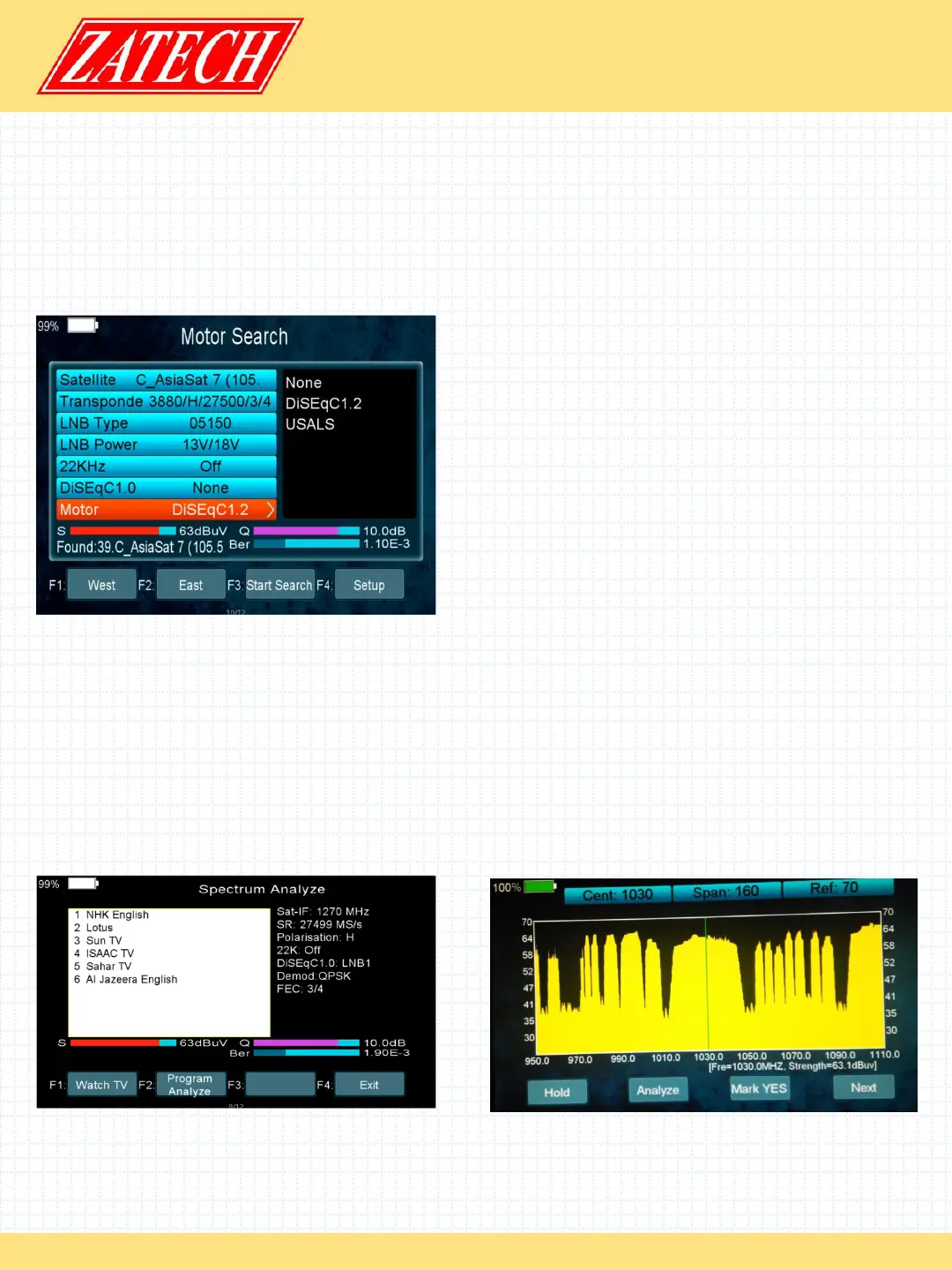
Press OK enter the Motor search, select
satellite and any transponder, if signal and
quality OK press F3 button to start search, press
F1 button turning Motor to west. Press F2 button
turning Motor to east. Press the F4 button you
can search by Motor; however, you should set
up the Angle about the sat use the Angle
button first of all.
4.2.6 Spectrum
Main Menu-> satellite -> Spectrum
In this menu, you can know the strength of all transponders.
Press the F1 button to keep the spectrum , and press the F2 button to analyze
spectrum , and press the F3 button to mark spectrum , and press F4 button to next
page.
Press the F1 button to change Polarization control Hor / Ver, and press F2 button to
switch 22khz signal on or off, and Press the F3 button to switch DiSEqC , and press F4
button to previous page .


 To Next Page
 Loading...