2
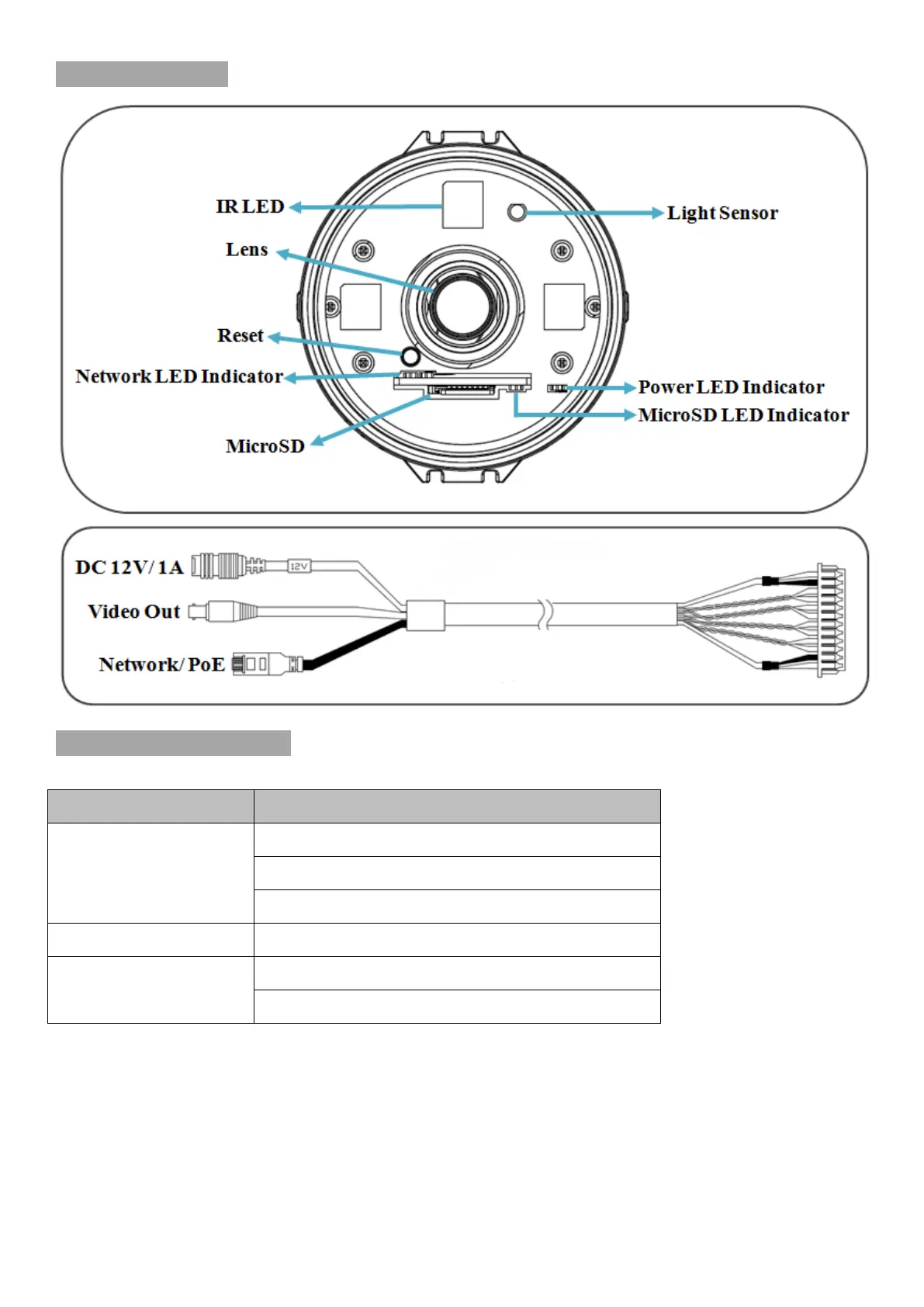
Physical Overview
LED Indicator Definition
LED Indication
Power
Steady red for booting up process.
Steady blue for booting up completion.
Flash purple for FW upgrading.
Network Flash yellow while Network activity.
MicroSD Card
Steady yellow means MicroSD card ready.
Flash yellow while accessing MicroSD card.
Reset: When the device is empowered, press the Reset Button to reboot the device, or hold the
Reset Button for 10 seconds to the settings back to factory default.
Reset process: Press reset button until indicator Unlitsteady red (booting up process)steady
blue (booting up completion)
Reset to default process: Press until indicator steady bluesteady red (booting up process)
steady blue (booting up completion)



 To Next Page