5
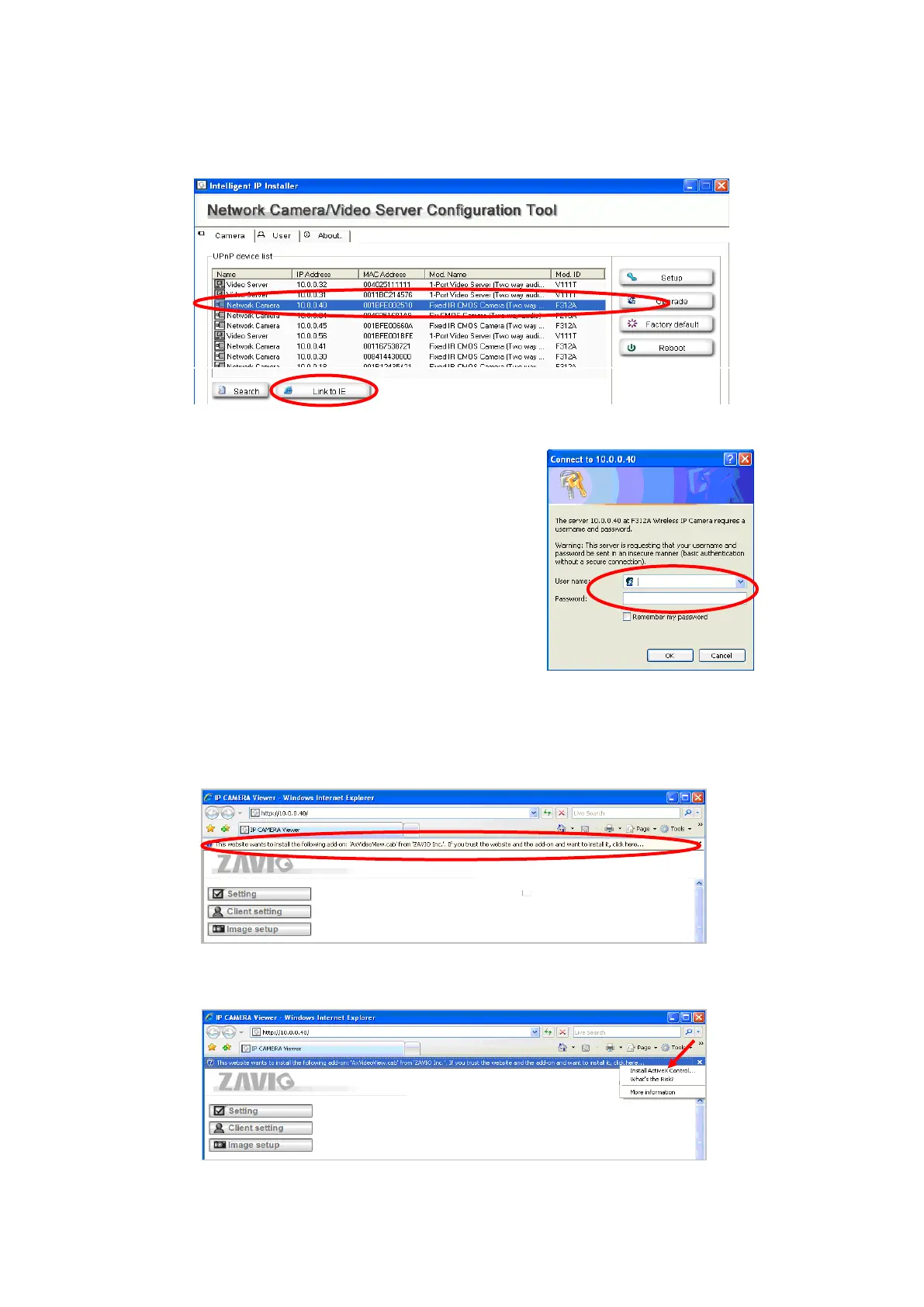
4. When accessing the IP Camera for the first time, a yellow information bar appears below the
address bar: This website wants to install the following add-on: ‘AxvideoView.cab from
‘Zavio Inc’.
5. Click the information bar, and select Install ActiveX control.
2. Click the Intelligent IP Installer Icon on your desktop. The main page will show up listing all
active camera and video server devices. Select the relevant IP camera from the list and click
Link to IE.
3. Enter your Username and Password to login to
the IP Camera.
(Default is admin / admin)



 To Next Page