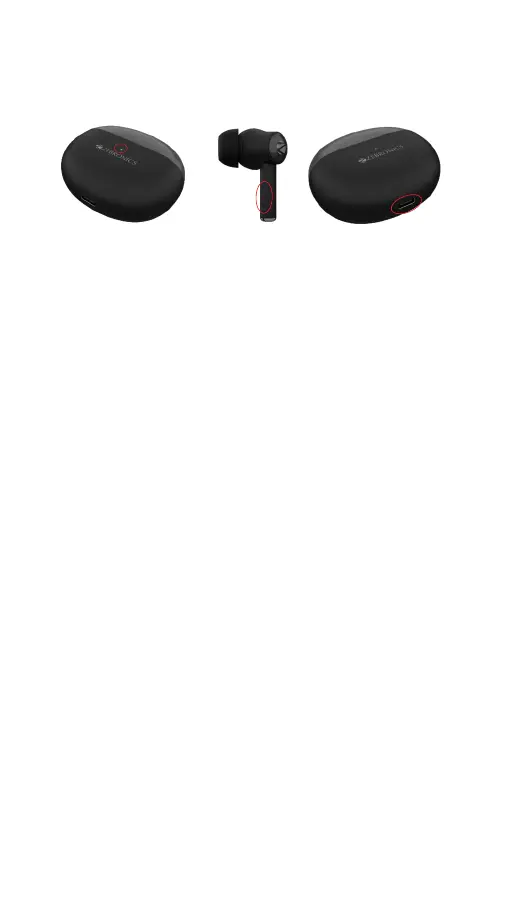
Product Representation:
Ear Buds Functions:
1. Once connecting the ear buds via BT, long
press the MFB for 2 seconds on the left ear bud
to activate the voice assistance of your device.
(Upon device compatibility).
2.To enable Gaming mode/ Music mode, long
press the MFB for 2 seconds on the right ear
bud.
3.To power Off the ear buds long press the
MFB on either of the ear buds for 5 seconds
4.To power On the ear buds long press the
MFB on either of the ear buds for 3 seconds.
During Music Playback:
1. Double tap the MFB on the Left/Right ear
bud to Play/Pause the music Track.
2. Triple tap the MFB on the Left/Right ear bud
to skip to Prev./Next music Track.
Type C charging port
MFB touch control
LED Charging indicator


 To Next Page