During Calls:
Double tap the MFB on either side of the ear
buds to answer the call.
Press and hold the MFB on either of the ear
buds for 2 seconds to reject the call.
Usage Instruction:
Bluetooth Pairing Instructions:
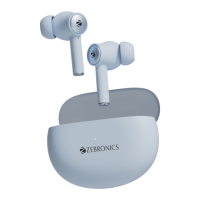
• Once the ear buds are out of the case they
enter pairing mode
• The ear buds will pair with each other
within 5 seconds.
• Now open the phone’s BT settings and pair
the ear buds by clicking on the name
ZEB- MIST
Charging Instruction:
Charging the Case:
• Plug the Type-C connector into the Type-C
charging port of the Ear bud’s charging case
and connect the other end of the USB cable to
the DC 5V mobile adapter.
• The corresponding LED indicator will blink on
the case, while the case is charging. LED
Indicator will glow constantly, upon full charge.


 To Next Page