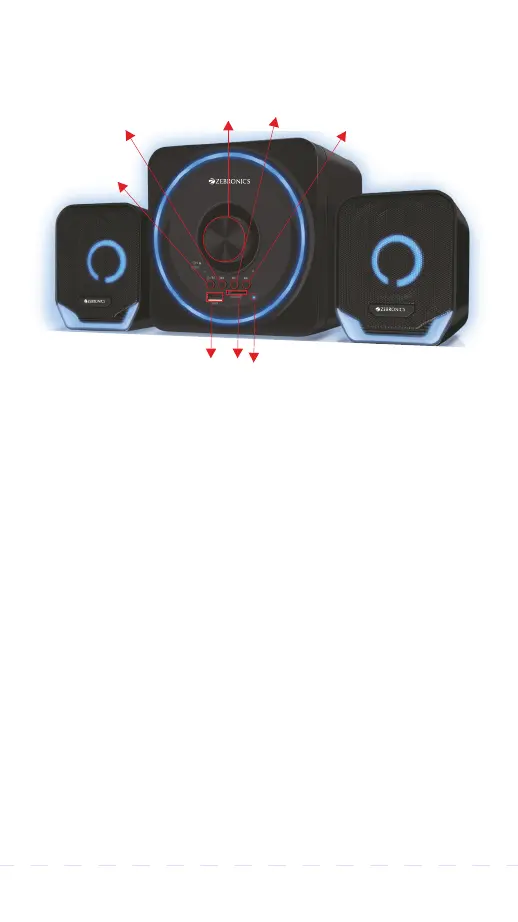
Control Panel Description
1.Volume knob with power on /off switch
2. Mode / LED Button.
3.Previous button / Volume -
4.Play/Pause button
5.Next / Volume + button
6. USB Port
7.mSD Slot
8.LED indicator
General Instructions
BT Mode:
Turn on the speaker, press "LED/M"
button to switch to BT Mode. Switch ON BT on
your phone or tablet and search for nearby BT
devices, Search for the BT name " ZEB PLUTO 2 "
and tap to connect it.
1
2
6
7
8
3
4
5


 To Next Page