4
1
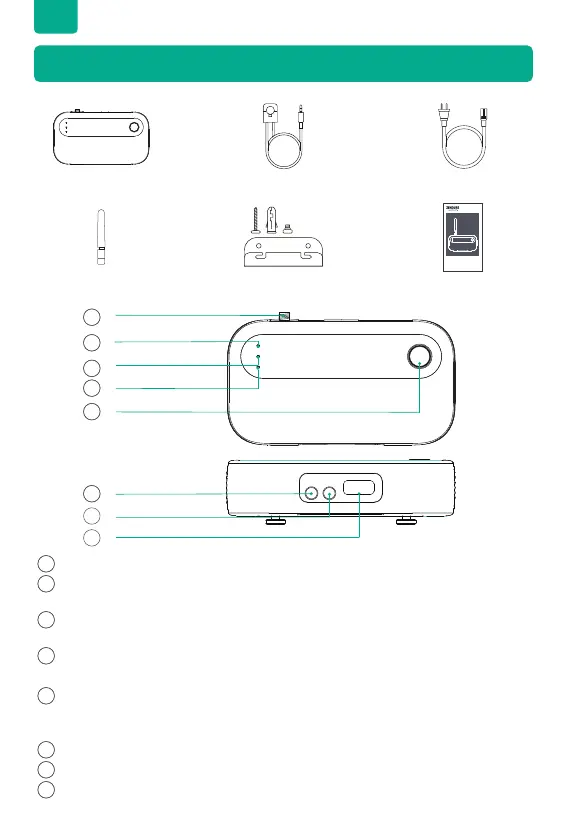
IoT Antenna
2
IoT Indicator
The green light ashes during pairing and will stay lit once the device is paired.
3
REV Indicator
Illuminates red when current is owing back into the grid.
4
RUN Indicator
Stays lit when powered on and blinks green during pairing.
5
IoT/Reset Button
Press the button for 3 seconds to pair and connect to a Wi-Fi network or Bluetooth,
and press and hold for 10 seconds to factory reset.
6
CT1 Input
7
CT2 Input
8
AC Power Input
4.2 Diagrams
EN
4. Product Features
4.1 What’s in the Box
Meter
2.4GHz Antenna Mounting Kit Installation Manual
150A Sensor x 2 1.5m AC Power Cable
Smart Meter CT
Installation Manual
x 2
1
2
3
4
5
6
7
8


 To Next Page