Need help?
Do you have a question about the ZENEC Z-E3726 and is the answer not in the manual?
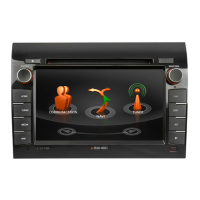
Overview of the ZENEC system, including buttons, knobs, and media slots.
Details on how to use buttons like HOME, TUNER, MEDIA, NAV, CAM, DISP, ALT, and BT.
Information on the touchscreen display, internal microphone, and IR receiver.
Adjusting volume via the rotary knob and muting the system.
Using steering wheel buttons to increase/reduce volume and mute.
Explanation of the anti-theft protection and password entry requirement.
Guidance on changing the password and consequences of losing it.
Adjusting Bass, Mid, Treble, Ultrabass, and Loudness settings.
Information on the free 12-month map software update period.
 General
| Resolution | 800 x 480 pixels |
|---|---|
| Navigation System | Yes |
| Bluetooth | Yes |
| SD Card Slot | Yes |
| RDS Tuner | Yes |
| Steering Wheel Control Compatibility | Yes |
| Apple CarPlay | Yes |
| Android Auto | Yes |
| Radio | Yes |
| Video Playback | Yes |
| Audio Playback | Yes |
| Touchscreen | Yes |
| Rear View Camera Input | Yes |
| USB Ports | 2 |

 To Next Page