EasyManua.ls Logo

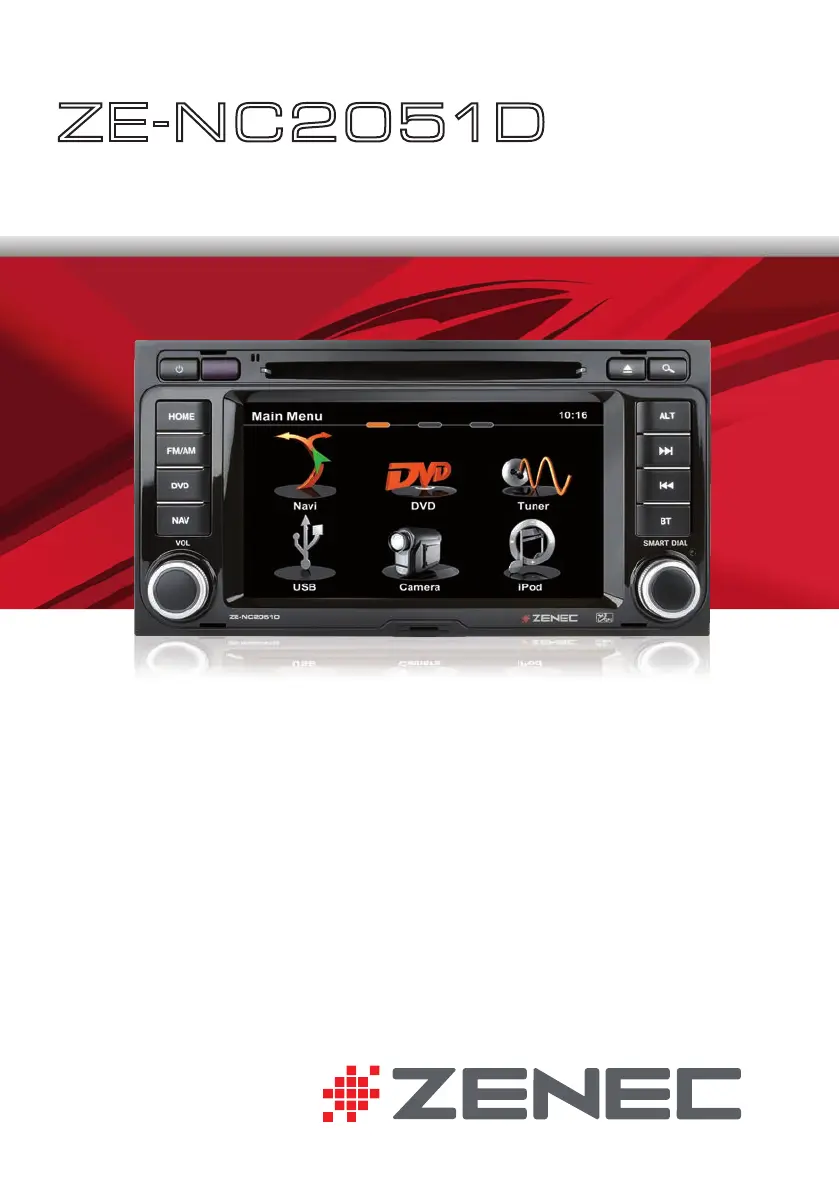
ZENEC ZE-NC2051D - User Manual

ZENEC ZE-NC2051D
104 pages
Print Icon
To Next Page IconTo Next Page
Loading...
USER MANUAL
ENGLISH/ GERMAN
USER MANUAL
BEDIENUNGSANLEITUNG
ZE
-
NC2051D
CAR SPECIFIC NAVICEIVER FOR
VW T5 VEHICLES

Questions and Answers

  • B
    barberrachelAug 14, 2025
    What to do if my ZENEC Car Navigation system has no audio output?
    • D
      Douglas ReynoldsAug 14, 2025
      If you are experiencing no or low audio output on your ZENEC Car Navigation system, several factors could be the cause. First, check the wiring to ensure a proper audio output connection. Also, verify that the volume isn't set too low and increase it if necessary. Damaged speakers can also cause this issue, so consider replacing them if needed. Ensure that the balance and fader adjustments are correctly configured, and that the speaker wiring isn't in contact with any metal parts of the car; if it is, insulate the connections or replace the speaker cable. Finally, make sure the Mute function is turned off.
  • M
    Michael RayAug 18, 2025
    Why won't my ZENEC Car Navigation unit power on?
    • M
      meltonbarbaraAug 18, 2025
      If your ZENEC Car Navigation unit won't power on, it could be due to a blown fuse. Check both the radio fuse and the car battery fuse, and install new fuses with the correct rating if necessary. If the issue persists, try pressing the RESET button, as the unit may be in an illegal operation state.
  • A
    Alexander PadillaAug 21, 2025
    What to do if my ZENEC ZE-NC2051D has poor sound quality?
    • J
      jacobschmidtAug 21, 2025
      If you're experiencing poor sound quality or distortion with your ZENEC Car Navigation system, it might be due to several reasons. Ensure you're using an original disc, as unauthorized discs can cause this issue. Also, check that your speaker's power rating is compatible with the unit; if not, connect proper speakers. Finally, inspect the speaker connections to ensure the speaker isn't shorted.
  • E
    Edward WarrenAug 25, 2025
    What to do if my ZENEC ZE-NC2051D shows no image?
    • D
      Debra RyanAug 26, 2025
      If your ZENEC Car Navigation system is displaying no image, it could be due to a couple of reasons. First, ensure that the parking brake is engaged. If that's not the issue, check if the 'Monitor off' function is activated and touch the monitor to activate the display.
  • H
    Heather PerkinsAug 27, 2025
    Why is my ZENEC ZE-NC2051D searching for stations weakly?
    • A
      alyssajordanAug 27, 2025
      If your ZENEC Car Navigation system is exhibiting weak station searching, there are a few potential causes. First, ensure that the auto antenna is properly connected. Additionally, check if the REG function is activated and turn it off if it is. Finally, verify that the AF function is activated.
  • K
    kimberly49Aug 31, 2025
    What to do if my ZENEC Car Navigation disc does not play back?
    • P
      pdicksonAug 31, 2025
      If your ZENEC Car Navigation system is not playing a disc, consider these possibilities: the disc may be warped or scratched, in which case you should use a disc in good condition. Also, the disc might be dirty or wet, so clean it with a soft cloth. Ensure that you are using a compatible disc and that the disc region code is compatible with the unit. If a parental lock is enabled, change the parental lock settings to lower restrictions. Lastly, make sure the disc is inserted with the label side up.
  • O
    ohernandezSep 3, 2025
    What to do if the ZENEC Car Navigation ID3 tags are shown incorrectly?
    • R
      reyesdarylSep 3, 2025
      If the ID3 tags are shown incorrectly on your ZENEC Car Navigation system, it may be because the message is longer than the LCD can display, or the ID3 tag is not compatible. Try using proper ID3 tag information.
  • A
    amandacookSep 7, 2025
    How to set the correct image ratio on ZENEC ZE-NC2051D?
    • R
      Richard GaySep 7, 2025
      To correct a prolonged image or improper height/width ratio on your ZENEC Car Navigation system, use the correct aspect ratio setting.
  • E
    Eric Boyer IIISep 10, 2025
    What to do if I cannot insert a disc into my ZENEC Car Navigation system?
    • S
      Scott ThomasSep 10, 2025
      If you cannot insert a disc into your ZENEC Car Navigation system, it is possible that a disc is already inside the unit. Eject the current disc before attempting to insert a new one.

ZENEC ZE-NC2051D Specifications

General IconGeneral
BrandZENEC
ModelZE-NC2051D
CategoryCar Navigation system
LanguageEnglish

Related product manuals