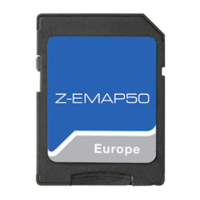
Use/Coverage:
The so called “SyncTool” in combination with the Naviextras Toolbox Software allows to download new map
data, Teleatlas map bugfixes, as well as new add-on’s like speedcams, activation of TMC Pro with a USB stick,
and to transfer the downloaded files to your E>GO unit. Please note that you can find updates that are free of
charge, as well as updates that will have to be paid with a credit card.
Requirements:
1) You need a USB stick of at least 4GB data size (max. 8GB).
Note: The USB stick must be formatted to FAT32 before use (right click on the USB drive in the Win Explorer,
then choose “Format” FAT32).
2) You need the SyncTool software – see the instructions below.
3) You need the Naviextras Toolbox - see the instructions below.
How to use SyncTool / Toolbox:
1) Download the ZIP-file called “SyncTool”.
2) Unzip the file with either WinZIP or the native unpacking software that comes with Windows XP/Vista/Win7.
3) You obtain a folder called “Update”.
WWW.ZENEC.COM
OPERATING INSTRUCTIONS FOR NAVI-UPDATE
(CONTENT & FEATURES) FOR E>GO (ZE-NC2010, ZE-NC2040, ZE-NC5010XX, ZE-NC3810)
1 of 3
Image 1
Image2 Image3

 Need help?

 To Next Page
 General