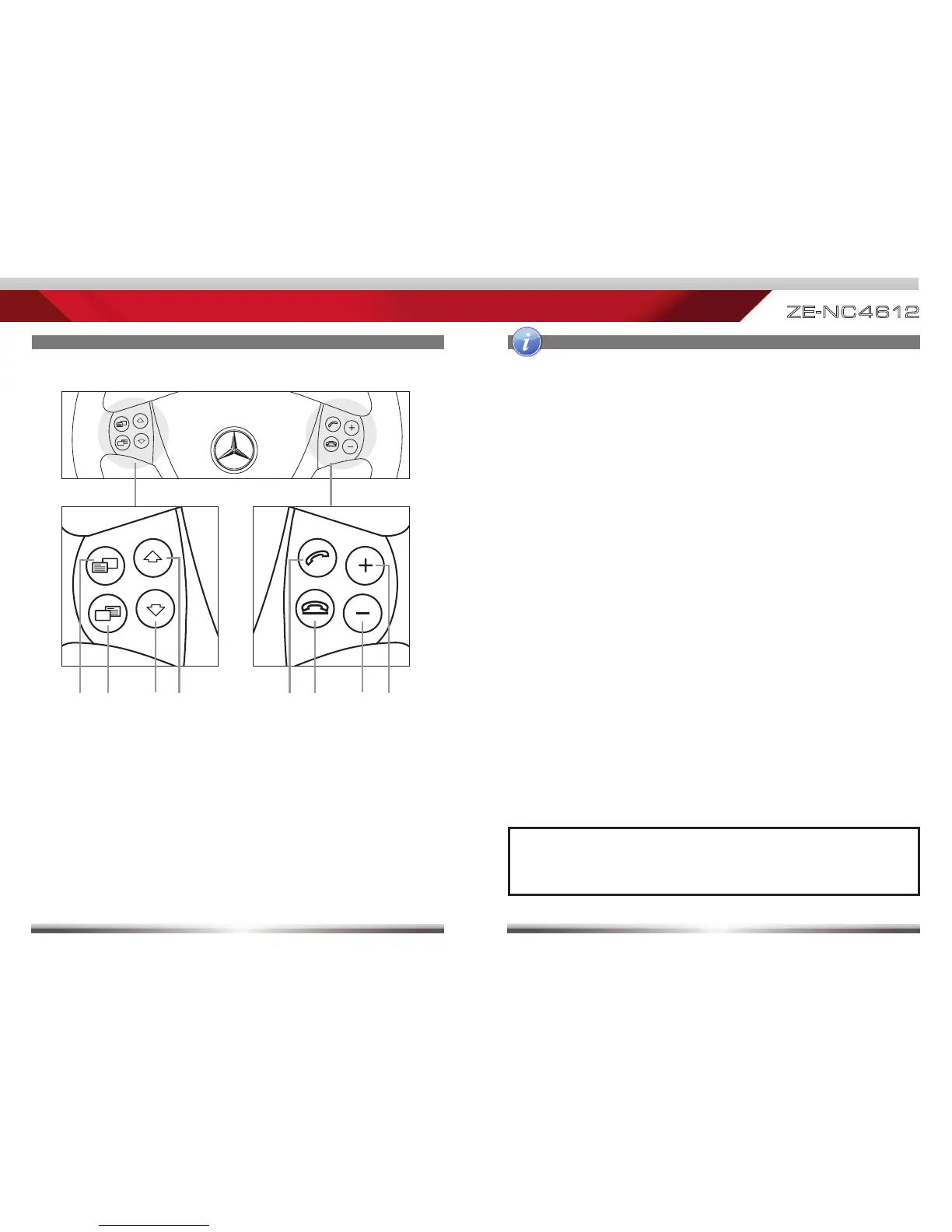
1. NEXT*
Press to choose next Track|Chapter|Station
Press and hold to fast forward
2. PREVIOUS*
Press to choose previous Track|Chapter|Station
Press and hold to fast rewind
3. MFA SOURCE+
No function for ZENEC device
4. MFA SOURCE-
No function for ZENEC device
5. VOL+
Press to increase volume
6. VOL-
Press to decrease volume
7. HANG UP/EXIT BT
Hang up a phone call
Exit Bluetooth mode
8. SWITCH TO BT/ANSWER CALL
Answer an incoming call
Switch to Bluetooth mode
*NOTE:
■ These buttons work only, if radio mode was chosen for the multifunction
driver information display.



 To Next Page