EasyManua.ls Logo

Zenit EM - Exposure Control

Zenit EM
23 pages
Print Icon
To Next Page IconTo Next Page
To Previous Page IconTo Previous Page
Loading...
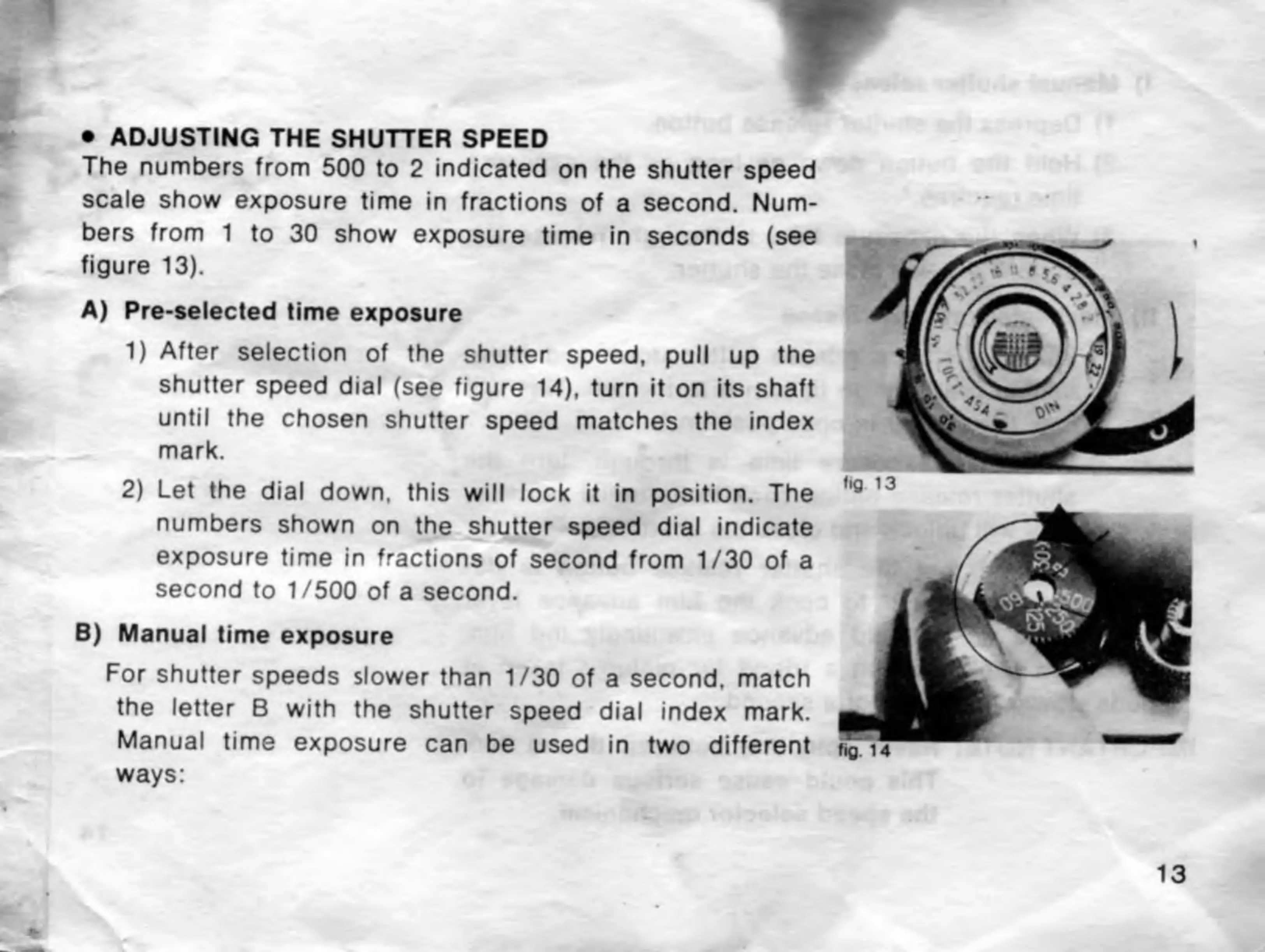
ADJUSTING
THE
SHUTTER
SPEED
The
numbers
from
500
to
2
indicated
on
the
shutter
speed
scale
show
exposure
time
in
fractions
of
a
second.
Num¬
bers
from
1
to
30
show
exposure
time
in
seconds
(see
figure
13).
A)
Pre-selected
time
exposure
1)
After
selection
of
the
shutter
speed,
pull
up
the
shutter
speed
dial
(see
figure
14),
turn
it
on
its
shaft
until
the
chosen
shutter
speed
matches
the
index
mark.
2)
Let
the
dial
down,
this
will
lock
it
in
position.
The
numbers
shown
on
the
shutter
speed
dial
indicate
exposure
time
in
fractions
of
second
from
1/30
of
a
second
to
1/500
of
a
second.
B)
Manual
time
exposure
For
shutter
speeds
slower
than
1/30
of
a
second,
match
the
letter
B
with
the
shutter
speed
dial
index
mark.
Manual
time
exposure
can
be
used
in
two
different
ways:
13

Related product manuals