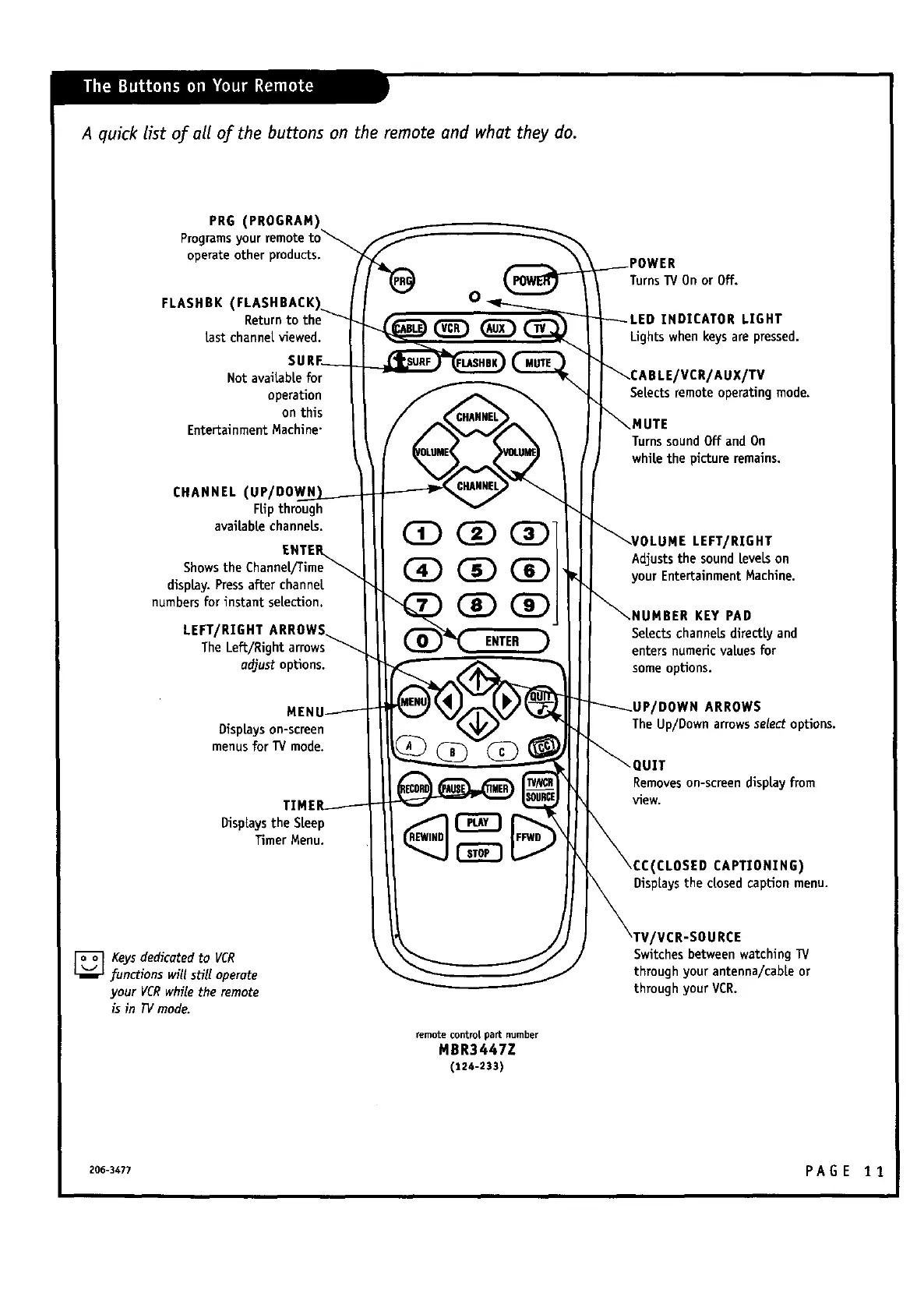
A quick list of all oj: the buttons on the remote and what they do.
PRG (PROGRAM
Programs your
operate other products.
FLASHBK (FLASHBACK
Returnto the
Lastchannel viewed.
Not avaiLabLefor
operation
on this
Entertainment Machine"
CHANNEL (UP/DO_
FLipthrough
available channels.
display.Pressafter channel
numbers for instant selection,
LEFT/RIGHT ARROWS_
The LeE/Right arrows_
adjust options.
Displayson-screen
menusfor TV mode.
DispLaysthe SLeep
Timer Menu.
CZ) CZ)
GD
(]D (]D
ENTER
Turns]V On or Off.
INDICATOR LIGHT
Lights when keysare pressed.
/VCR/AUX/TV
SeLectsremote operating mode.
MUTE
TurnssoundOff and On
whiLethe pictureremains.
LEFT/RIGHT
Adjuststhe soundLeveLson
your EntertainmentMachine.
JMBER KEY PAD
SeLectschanneLsdirectly and
enters numeric values for
some opUons.
'DOWN ARROWS
TheUp/Down arrowsselectoptions.
UIT
Removeson-scmendisplayfrom
view.
CLOSED CAPTIONING)
DispLaysthe dosed capUon menu.
[]Keys dedicatedto VCR
functionswillsHlloperate
yourVCR whiletheremote
isinlV mode.
remotecontrol part number
MBR3447Z
(124-233)
VCR-SOURCE
Switches between watching TV
through your antenna/cabLeor
through your VCR.
206-3477 P A G E 1 1



 To Next Page