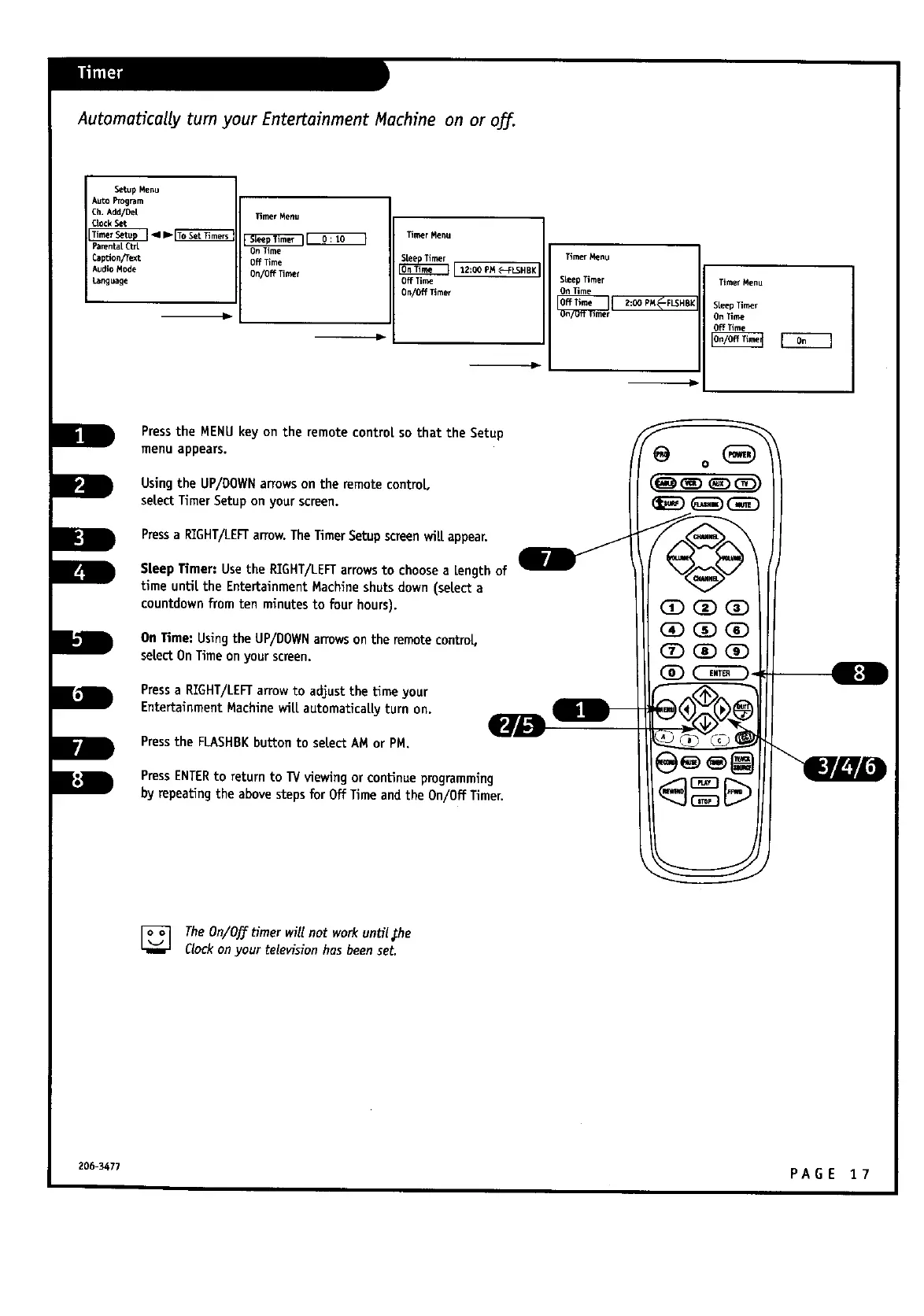
Automatically turn your Entertainment Machine on or off.
Setup Menu
Auto Pr_m
Ch. Add/De[
Qock Set
Parental cta
CapUon/Text
Audio Mode
Canguage
Timer Menu
_ Timer Menu
On Time
Off Time
On/Off Timer 12:00 PM_-_CLSHBk
On/Off Timer
Timer_nu
SheepTimer
On Time
TimerMenu
Steep Timer
On Tie_e
Off Time
m
Pressthe MENUkey on the remote control so that the Setup
menu appears.
Usingthe UP/DOWNarrows on the remote control
select Timer Setup on your screen.
Pressa RIGHT/LEFTarrow. TheTimerSetupscreenwill appear.
Sleep Timer: Usethe RIGHT/LEFTarrowsto choose a Lengthof
timeuntil the EntertainmentMachineshutsdown (selecta
countdownfromten minutesto fourhours).
On Time:UsingtheUP/DOWN arrowson theremotecontroL,
selectOn Timeon yourscreen.
Pressa RIGHT/LEFTarrow to adjust the time your
Entertainment Machine wilLautomaticallyturn on.
Pressthe FLASHBKbuttontoselectAM orPM.
w
PressENTERto return to _/viewing or continueprogramming
by repeatingthe abovesteps for Off Time andthe On/Off Timer.
(3DGD OD
OD QD OD
@Z)OD OD
[] TheOn/Off timer will not work until,the
Clockon your television hasbeenset.
206-3477 P A G E I 7



 To Next Page