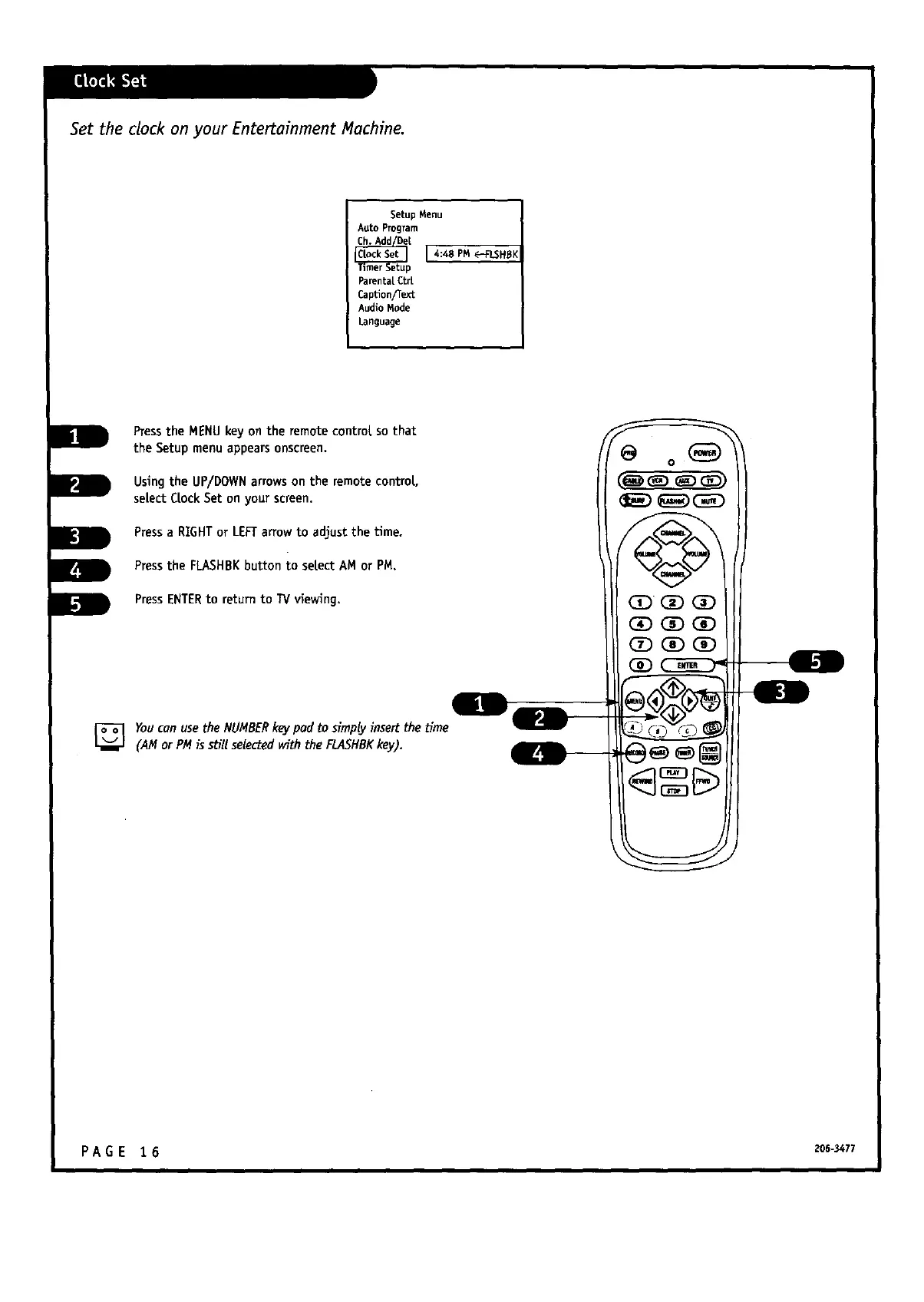
Set the clock on your Entertainment Machine.
Setup Menu
A_to Prog_m
i [ 4:48 PM _FLSH_K
Pa_ntalCt_
CapUon_e_'_c
Audio Mode
Language
Pressthe MENUkey on the remote control sothat
the Setup menuappearsonscreen.
Usingthe UP/DOWNarrowson the remotecontrol.,
selectCrockSet on your screen.
Pressa RIGHTor LEFTarrowto adjust the Ume.
Pressthe FLASHBKbutton to select AM or PM.
PressENTERto returnto TVviewing.
_g _ w
YoucanusetheNUMBERkeypad to simplyinsert the time
(AM or PMis stillselectedwiththe FLAEHBKkey).
@
PA G E 1 6 20G-3477



 To Next Page