Customizeyour channel selection.
SetupMenu
Auto Program
[Ch72Added]
CLockSet
TimerSetup
ParentalCtrt
Caption/Text
AudioMode
Language
Setup Menu
Auto Pro ram
_[Ch 74 DeLeted]
CLockSet
Timer Setup
Parental Ctrt
Captlon/Text
AudioMode
Language
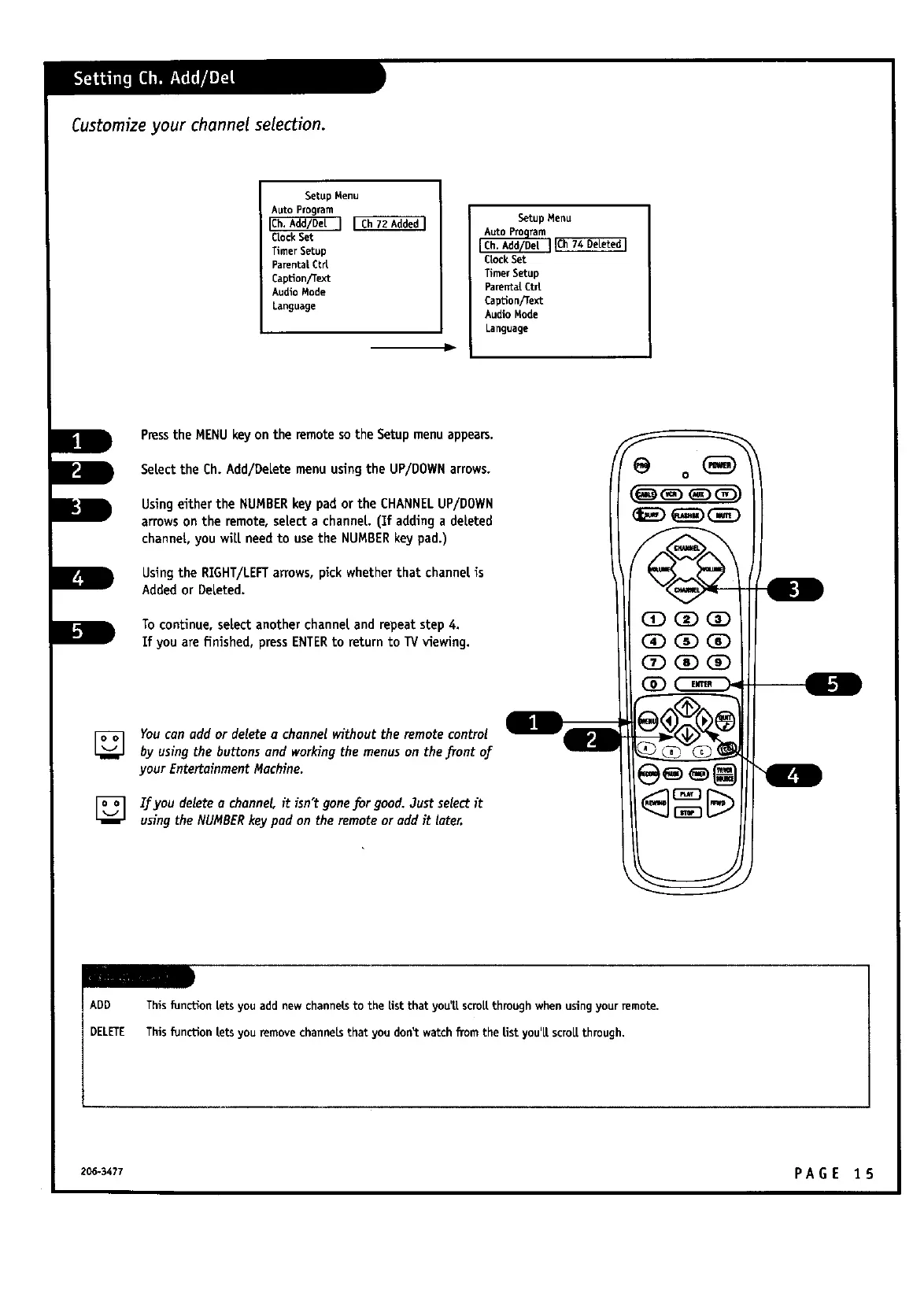
PresstheMENU keyon theremotesotheSetupmenu appears.
SeLecttheCh.Add/DeLetemenu usingthe UP/DOWN arrows.
UsingeithertheNUMBER keypad ortheCHANNEL UP/DOWN
arrowson theremote,selecta channel(Ifaddinga deleted
channeL,you wiLLneedto usethe NUMBER keypad.)
UsingtheRIGHT/LEFTarrows,pickwhetherthatchannelis
Addedor DeLeted.
To continue,selectanotherchanneland repeatstep4.
Ifyou arefinished,pressENTERto returnto TV viewing.
lh
w,
L
F
[] Youcan add or delete a channel without the remote control
by usingthebuttonsand workingthemenus on thefrontof
yourEntertainmentMachine.
] If you delete a channel it isn't gone.forgood. Just selectit
usingthe NUMBERkeypad on the remoteor add it later.
ADD This [unction Letsyou add new channelsto the Estthat you'LLscroLLthrough whenusingyour remote.
DELETE This [unction Letsyou removechannelsthat you don_ watch from the Listyou'[[ scroLLthrough,
206-3477 PA G E 1 5



 To Next Page