Video Menu
:ontrast ] _1_zz_lam_z=_b_
Bdghtness
CoLor
Tint
Sharpness
Picture Pref
Video Menu
Contrast ] [_
B_ghtness
Corot
Tint
Sharpness
Picture Pref
B
m
D
D
D
D
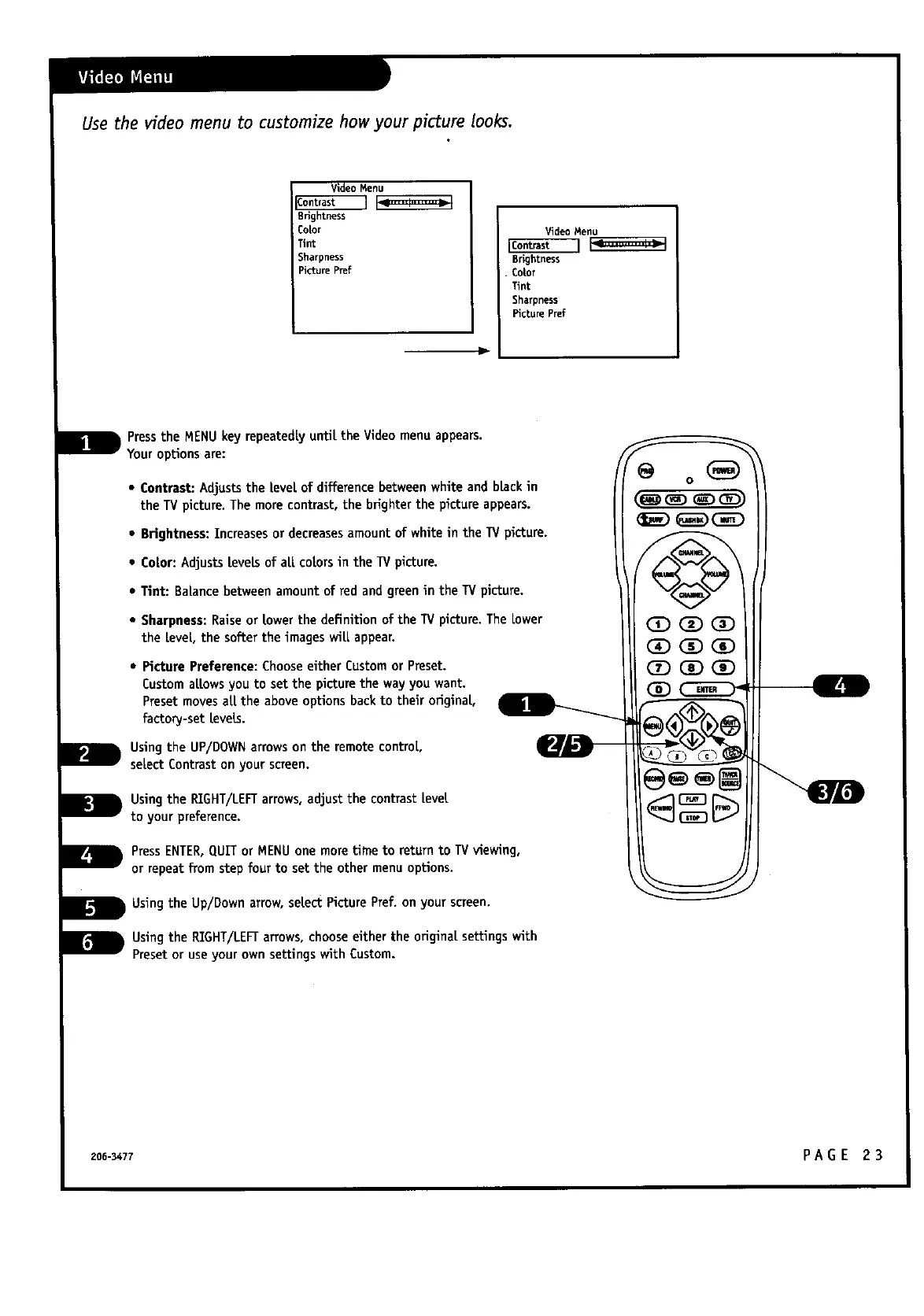
Pressthe MENUkey repeatedlyuntil the Videomenu appears.
Youroptionsare:
• Contrast: Adjuststhe |eve[ of differencebetweenwhite and blackin
the TVpicture. The more contrast,the brighter the picture appears.
• Brightness:Increases or decreasesamountof white in the TV picture.
• Co[tor:Adjusts[revelsof all colorsin the TV picture.
• Tint: Balancebetween amountof red and greenin the TV picture.
• Sharpness:Raiseor [towerthe definition of the TV picture.The Lower
the level, the softer the images wilt[appear.
• Picture Preference: Chooseeither Custom or Preset.
Custom allowsyou to setthe picture the way you want.
Presetmovesa[t[the aboveoptionsbackto their original
factory-set Levels.
Usingthe UP/DOWNarrows on the remote control,
selectContrast on your screen.
Usingthe RIGHT/LEFTarrows,adjust the contrast[eve[t
to your preference.
PressENTER,QUIT or MENUone moretime to returnto TVviewing,
or repeatfrom step four to set the other menu options.
Usingthe Up/Down arrow,select PicturePref. on your screen.
Usingthe RIGHT/LEFTarrows,choose either the origina[tsettings with
Presetor useyour own settingswith Custom.
@ o(_)
CD GD CD
CD GD CD
CD CD C_D
206-3477 PA GE 2 3



 To Next Page