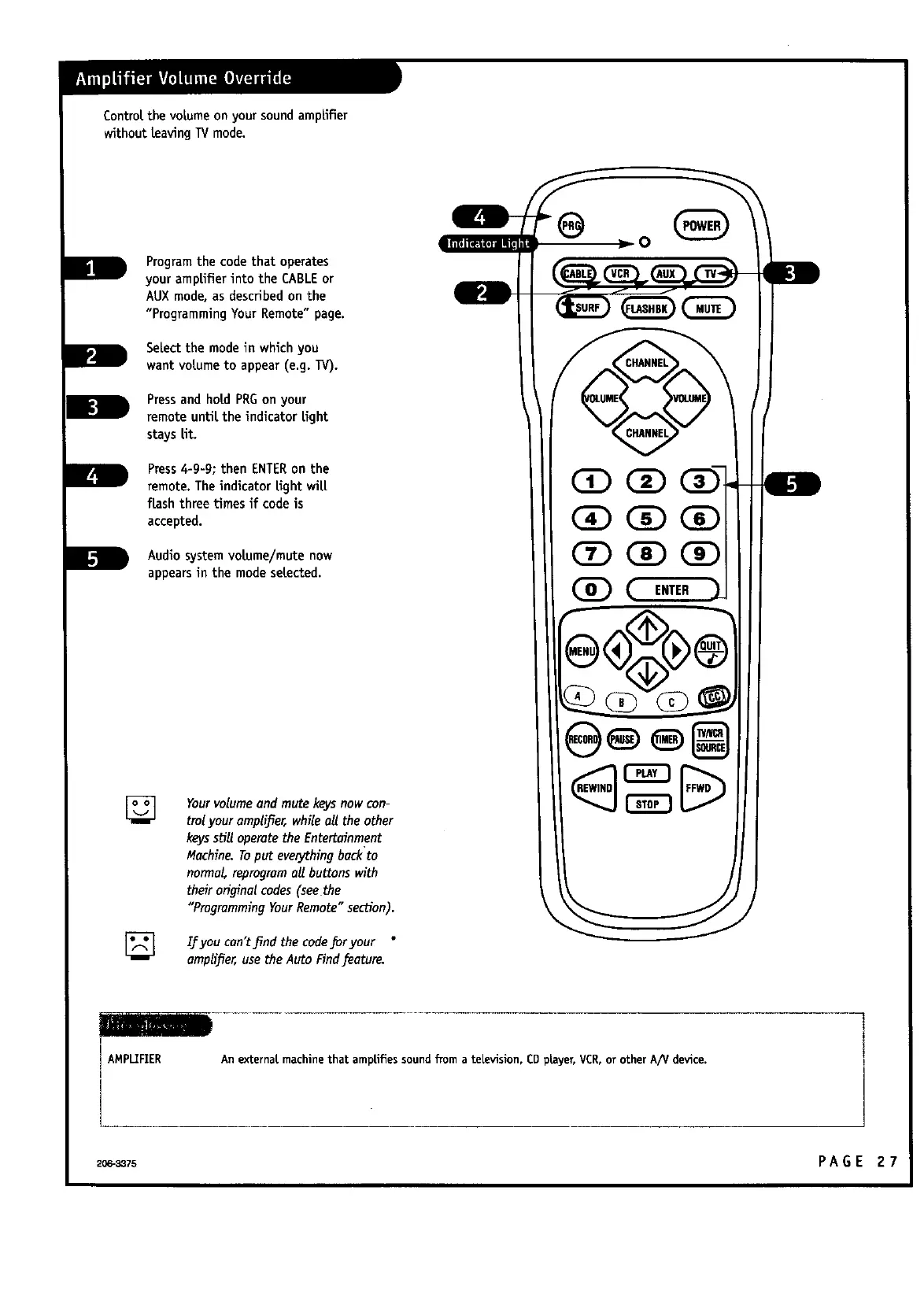
Control.the votumeonyour soundamplifier
without [reavingTVmode.
Programthe codethat operates
your amplifier into the CABLEor
AUXmode, asdescribedon the
"Programming Your Remote"page.
SeLectthe modein which you
want vo[tumeto appear (e.g. TV).
Pressand ho[tdPRGon your
remote unti[tthe indicator[tight
stays lit.
PressA-g-g; then ENTERon the
remote. The indicator [tightwi[ti
flash three times if codeis
accepted.
Audiosystemvol.ume/mute now
appearsin the mode se[tected.
[]
Yourvolume and mute keysnow con-
trolyouramplifier, whileall the other
keyssell operate the Entertainment
Machine.Toputeverythingbackto
normal, reprogromall buttons with
their original codes (see the
"ProgrammingYourRemote"section).
[] If you cun't J_ndthe code_r your
amplifier,usetheAuto Find feature.
AMPLIFIER
An externat machinethat amptifiessound from a television, CDprayer, VCR,or other A/V device.
206":3875 PA G E 2 7



 To Next Page