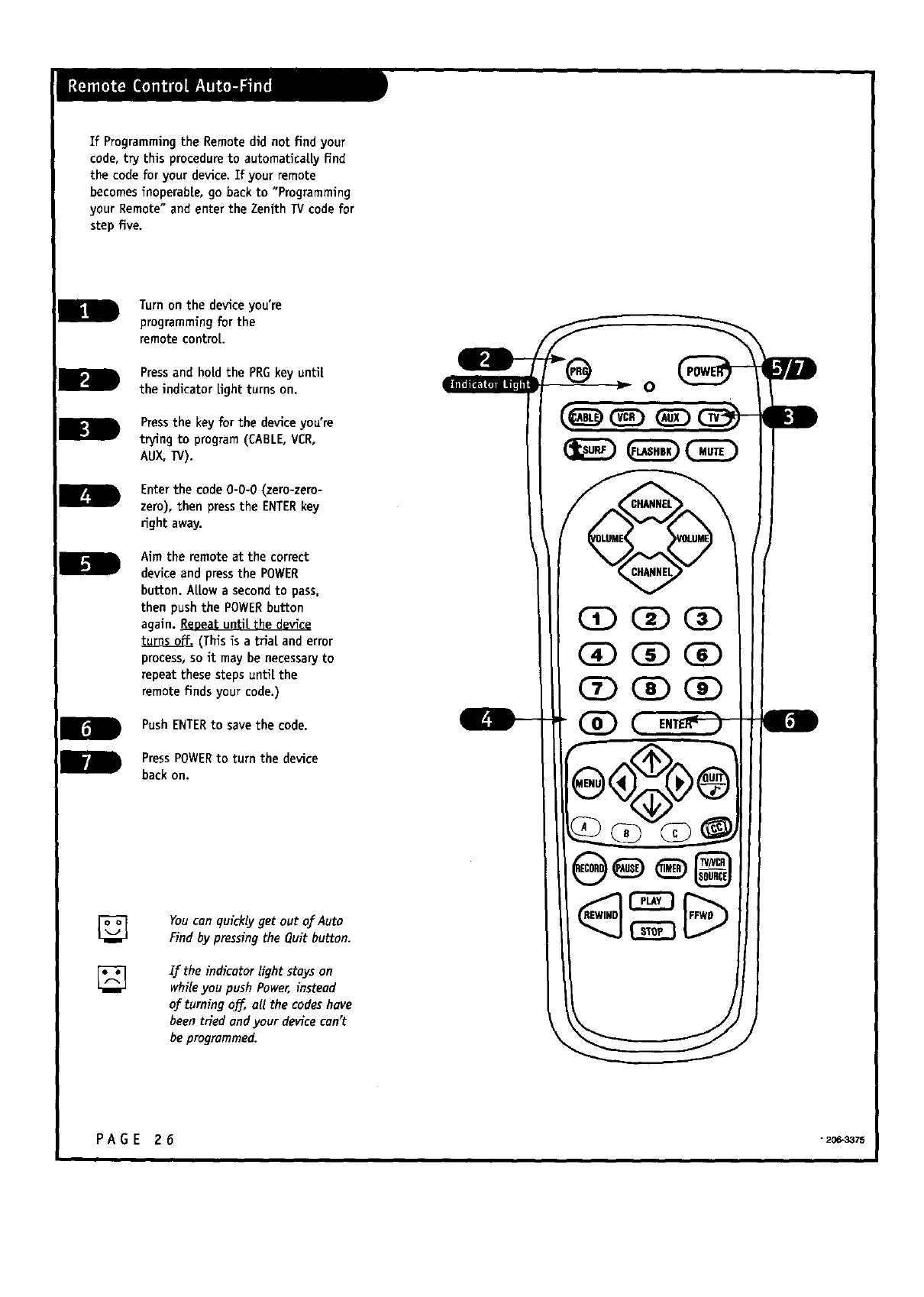
If Programming the Remotedid not find your
code,try this procedure to automatically find
the code for your device.If your remote
becomesinoperable, go backto "Programming
your Remote"and enter the Zenith TVcode for
step five.
Turnon the deviceyou're
programmingfor the
remotecontrol.
m
Pressand holdthe PRGkey until
the indicator light turns on.
D
Pressthe key for the deviceyou're
trying to program(CABLE,VCR,
AUX,TV).
im
Enter the code0-0-0 (zero-zero-
zero), then press the ENTERkey
right away.
Aim theremoteat thecorrect
deviceand pressthe POWER
button.Al[owa secondto pass,
thenpushthe POWER button
again.Repeatuntilthedevice
(Thisisa trialand error
process,so itmay benecessaryto
repeatthesestepsuntilthe
remotefindsyourcode.)
IB
PushENTERto savethecode.
PressPOWER to turnthedevice
backon.
YoucanquicklygetoutofAuto
FindbypressingtheQuitbutton.
Iftheindicatorlightstayson
whileyou push Power,instead
ofturningoff,allthecodeshave
beentriedendyourdevicecan't
be programmed.
o
CD C_)CZ)
(39 C£)(]D
CD C_)C£)
D
PAGE 26 .2o_3azs



 To Next Page