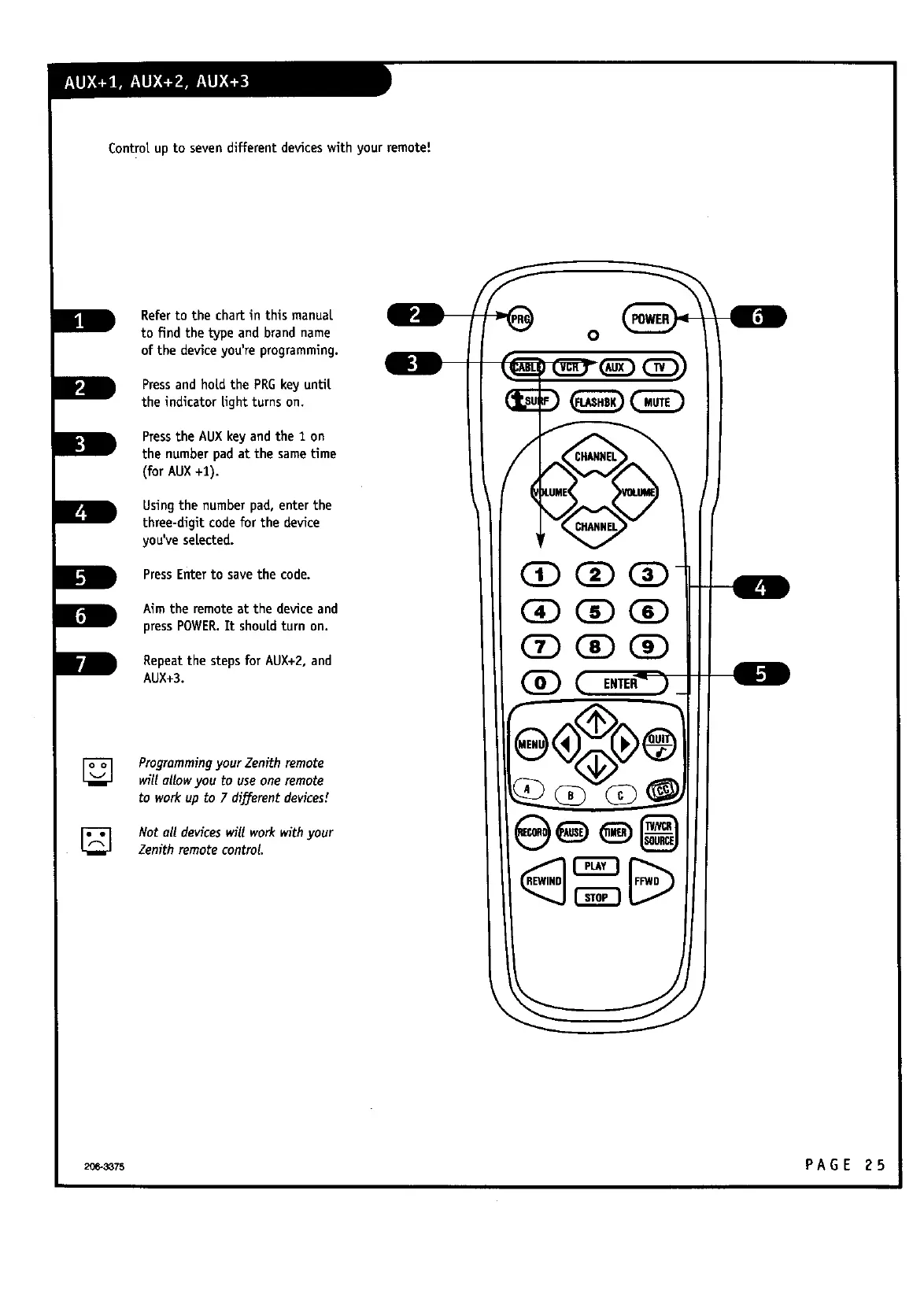
Control.up to sevendifferent deviceswith your remote!
Refer to the chart in this manuat
to find the type and brand name
of the deviceyou're programming.
Pressand hold the PRGkey until
the indicator light turns on.
Pressthe AUXkey andthe 1 on
the numberpad at the sametime
(for AUX+1).
Using the number pad, enter the
three-digit codefor the device
you'veselected.
PressEnterto savethe code.
Aim the remote at the deviceand
pressPOWER.It shouldturn on.
Repeatthe stepsfor AUX+2, and
AUX+3.
0
[]
Programmingyour Zenith remote
will allow you to useone remote
to workup to 7 different devices/
Not all deviceswill workwithyour
Zenith remote control.
206-3375 PAGE 25



 To Next Page