CLOCK SET
MONTH 10
DAY 28 (SAT)
YEAR 2006
TIME 8:30AM
:SELECT :ADJUST
ENTER:SET EXIT:END
PICTURE
SIZE
-/
Fije el DAY (DÍA), el YEAR
(AÑO) y la TIME (HORA)
como en el paso 3.
Después de programar la
fecha y el tiempo, el reloj
comenzará a funcionar
automáticamente.
4
Ajuste del reloj
NOTA:
Tras un fallo en el suministro de
alimentación ó desconexión del
enchufe de alimentación. En este
caso, reajuste la hora actual.
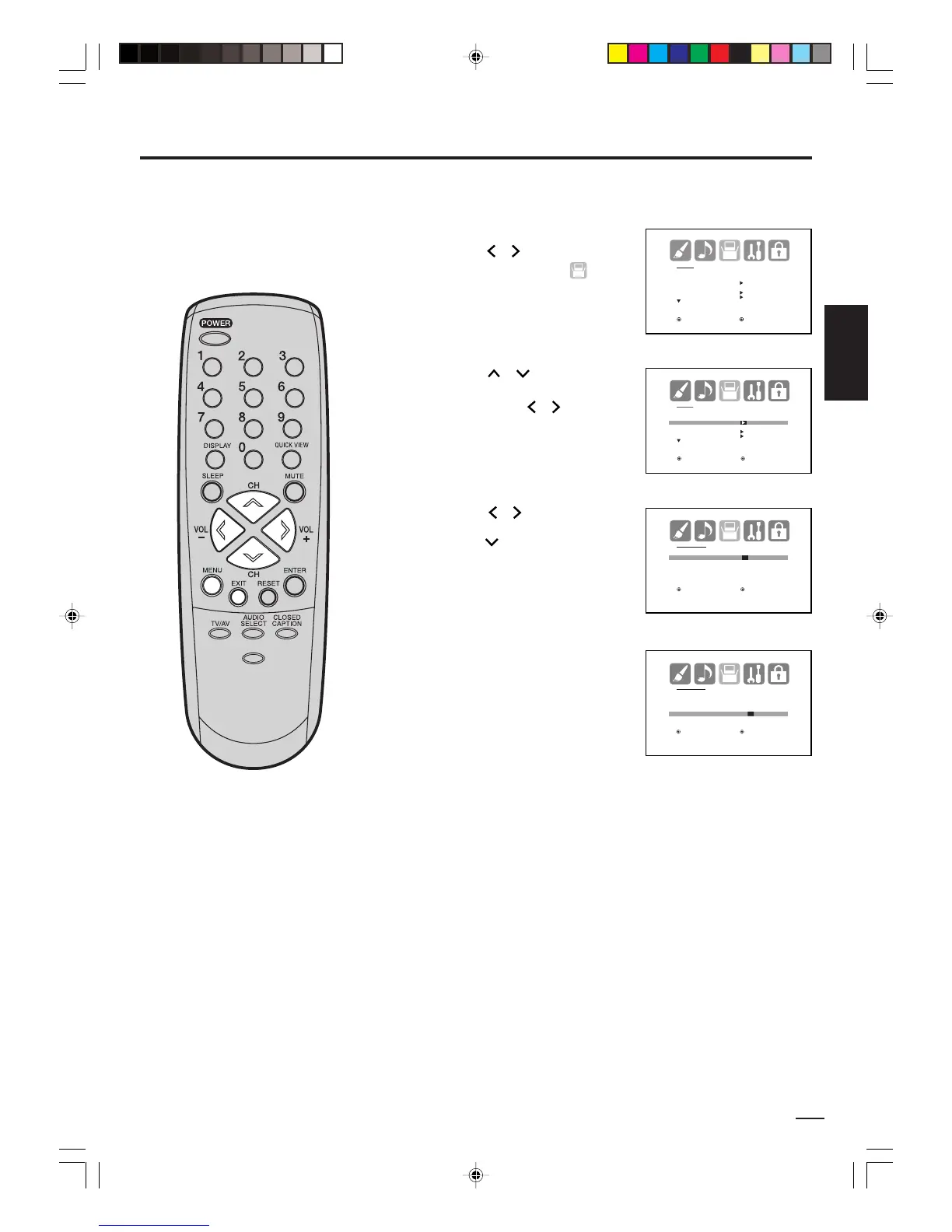
EJEMPLO: Ajustando el reloj a “8:30 AM”, Sábado 28 de Octubre de
2006.
Presione
o
para
seleccionar “CLOCK SET”.
Luego presione o .
El menú de CLOCK SET
aparecerá.
Presione MENU, luego
presione
o para
seleccionar el menú de
(SETUP).
1
2
3
Presione o para fijar el
MONTH (MES), luego
presione .
Es importante que el reloj esté
ajustado correctamente para que la
función “ON/OFF TIMER” se active
en el momento adecuado.
Presione EXIT para volver a la imagen normal.
5
J3W41321A_SP_P25-30 24/03/2006, 2:28 PM27



 To Next Page