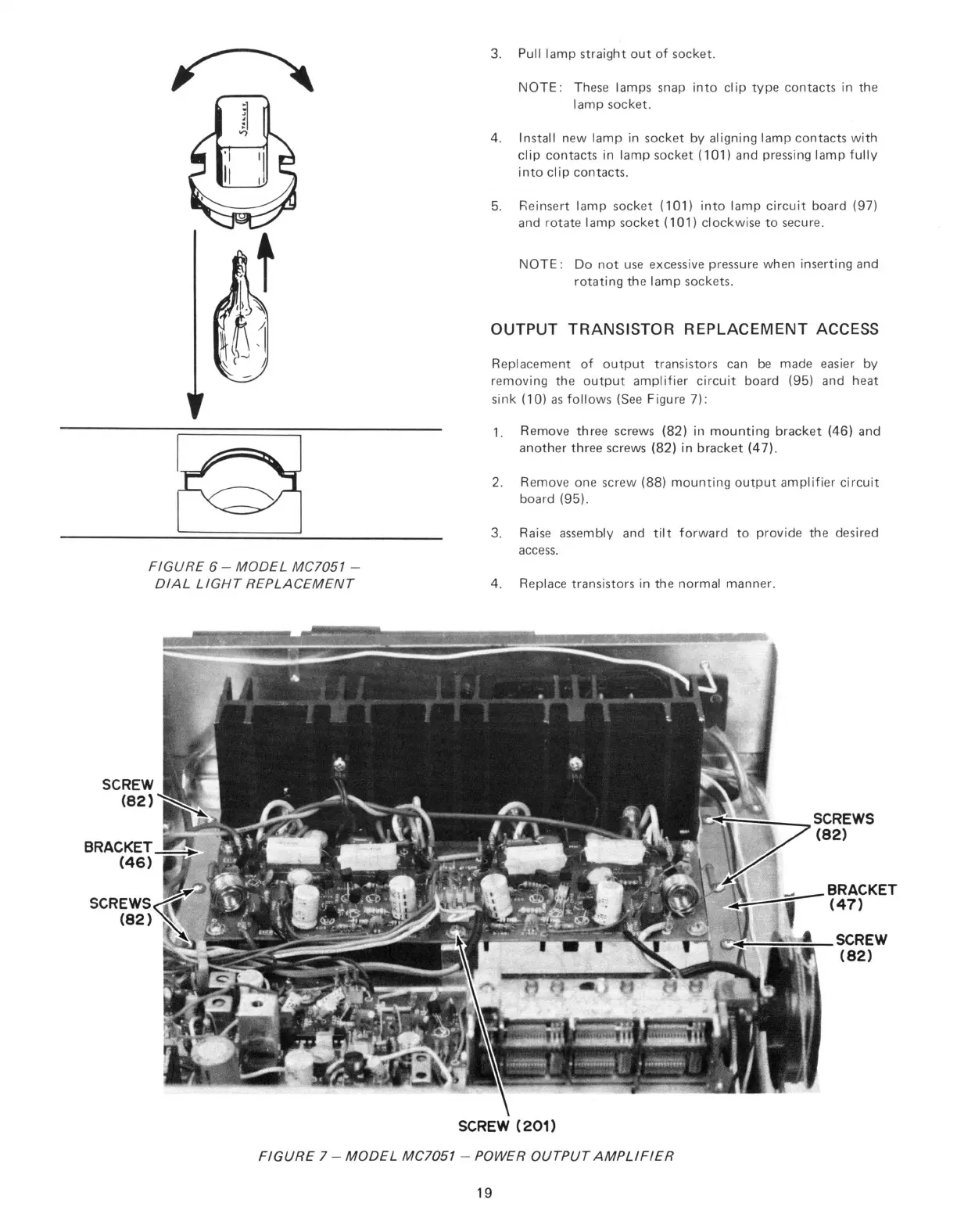
FIGURE 6 - MODEL MC7051 -
DIAL LIGHT REPLACEMENT
NOTE:
These lamps snap into clip type contacts in the
lamp socket.
4. Install new lamp in socket by aligning lamp contacts with
clip contacts in lamp socket (101) and pressing lamp fully
into clip contacts.
5. Reinsert lamp socket (101) into lamp circuit board (97)
and rotate lamp socket (101) clockwise to secure.
NOTE:
Do not use excessive pressure when inserting and
rotating the lamp sockets.
OUTPUT TRANSISTOR REPLACEMENT ACCESS
Replacement of output transistors can be made easier by
removing the output amplifier circuit board (95) and heat
sink (10) as follows (See Figure 7):
1.
Remove three screws (82) in mounting bracket (46) and
another three screws (82) in bracket (47).
2.
Remove one screw (88) mounting output amplifier circuit
board (95).
3. Raise assembly and tilt forward to provide the desired
access.
4. Replace transistors in the normal manner.
FIGURE 7 - MODEL MC7051 - POWER OUTPUT AMPLIFIER
19



 To Next Page