30 Plasma TV
Operation
- Timer function operates only if the current time has been set.
- Off-Timer function overrides On-Timer function if they are both set to the same time.
- The TV must be in standby mode for the On-Timer to work.
- If you do not press any button within 2 hours after the TV turns on with the On Timer function, the TV will automatically revert to
standby mode.
On/Of
On/Of
f
f
T
T
imer Setup
imer Setup
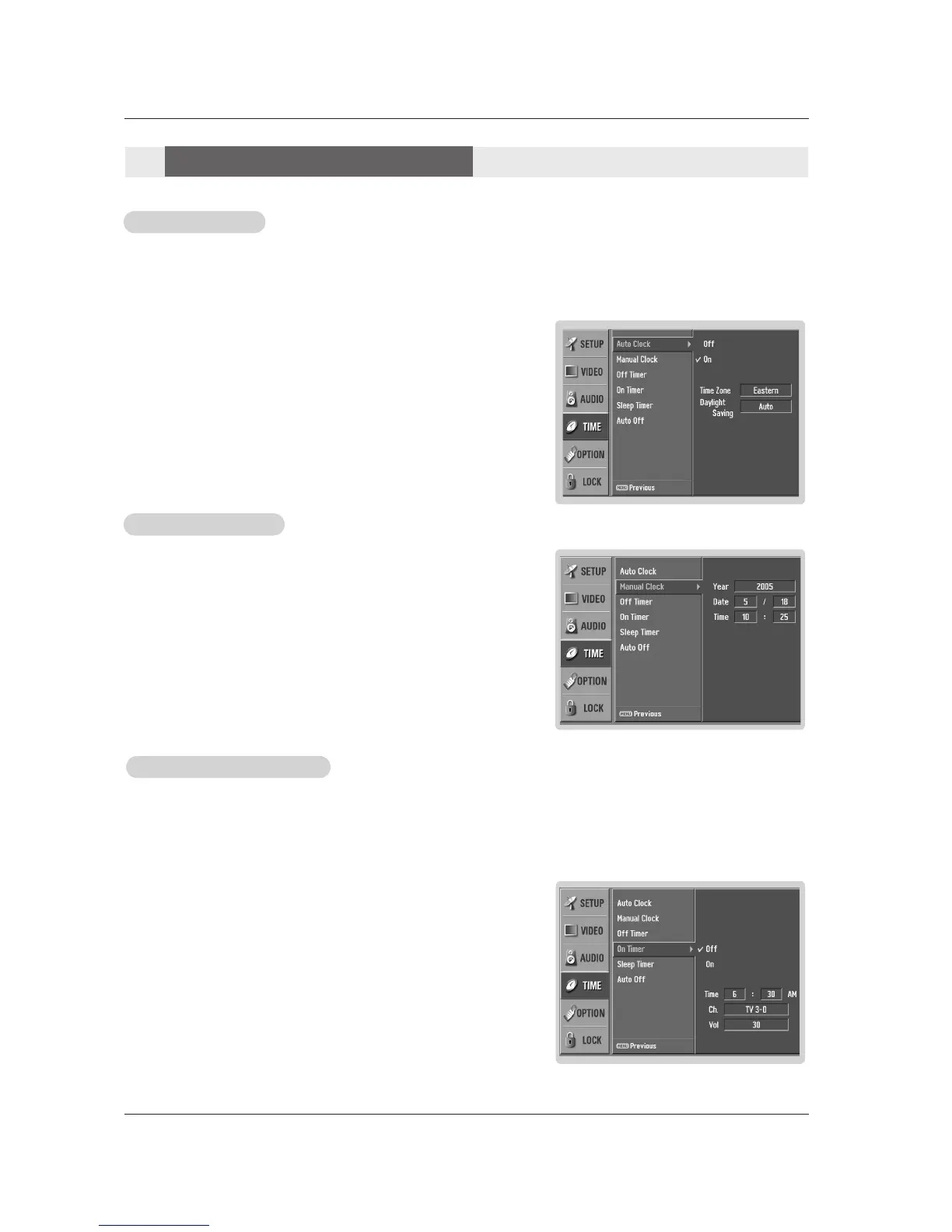
1. Press the MENU button and then use
DD / EE
button to select the TIME menu.
2. Press the
GG button and then use
DD / EE
button to select Off Timer or On Timer.
3. Press the GG button and then use
DD / EE
button to select On.
• To cancel
On/Off timer function, select Off.
4. Press the GG button and then use
DD / EE
button to set the hour.
5. Press the GG button and then use
DD / EE
button to set the minutes.
6. For only On timer function
Press the
GG button and then use
DD / EE
button to select the channel at turn-on.
Press the
GG button and then use
DD / EE
button to set the sound level at turn-on.
7. Press EXIT button to return to TV viewing or press MENU button to return to the
previous menu.
Auto Clock Setup
Auto Clock Setup
- The time is set automatically from a digital channel signal.
- The digital channel signal includes information for the current time provided by the broadcasting station.
- Set the clock manually, if the current time is set incorrectly by the auto clock function.
1. Press the MENU button and then use
DD / EE
button to select the TIME menu.
2. Press the GG button and then use
DD / EE
button to select Auto Clock.
3. Press the
GG button and then use
DD / EE
button to select On or Off.
4. Press the GG button and then use
DD / EE
button to select your viewing area time
zone:
Eastern, Central, Mountain, Pacific, Alaska, or Hawaii.
5. Press EXIT button to return to TV viewing or press MENU button to return to
the previous menu.
Manual Clock Setup
Manual Clock Setup
- If current time setting is wrong, reset the clock manually.
1. Press the MENU button and then use
DD / EE
button to select the TIME menu.
2. Press the GG button and then use
DD / EE
button to select Manual Clock.
3. Press the
GG button and then use FF / GG button to select either the year, date,
or time option. Once selected, use the
DD / EE
button to set the year, date, and
time options.
4. Press EXIT button to return to TV viewing or press MENU button to return to
the previous menu.
T
T
ime Menu Options
ime Menu Options



 To Next Page