Operating Guide 41
Operation
• When RGB connect to PC input and select the RGB-PC, this function is used.
• When HDMI/DVI connect to PC input and select HDMI/DVI input, this function is used.
• In RGB-DTV mode, SIZE and PHASE is not available.
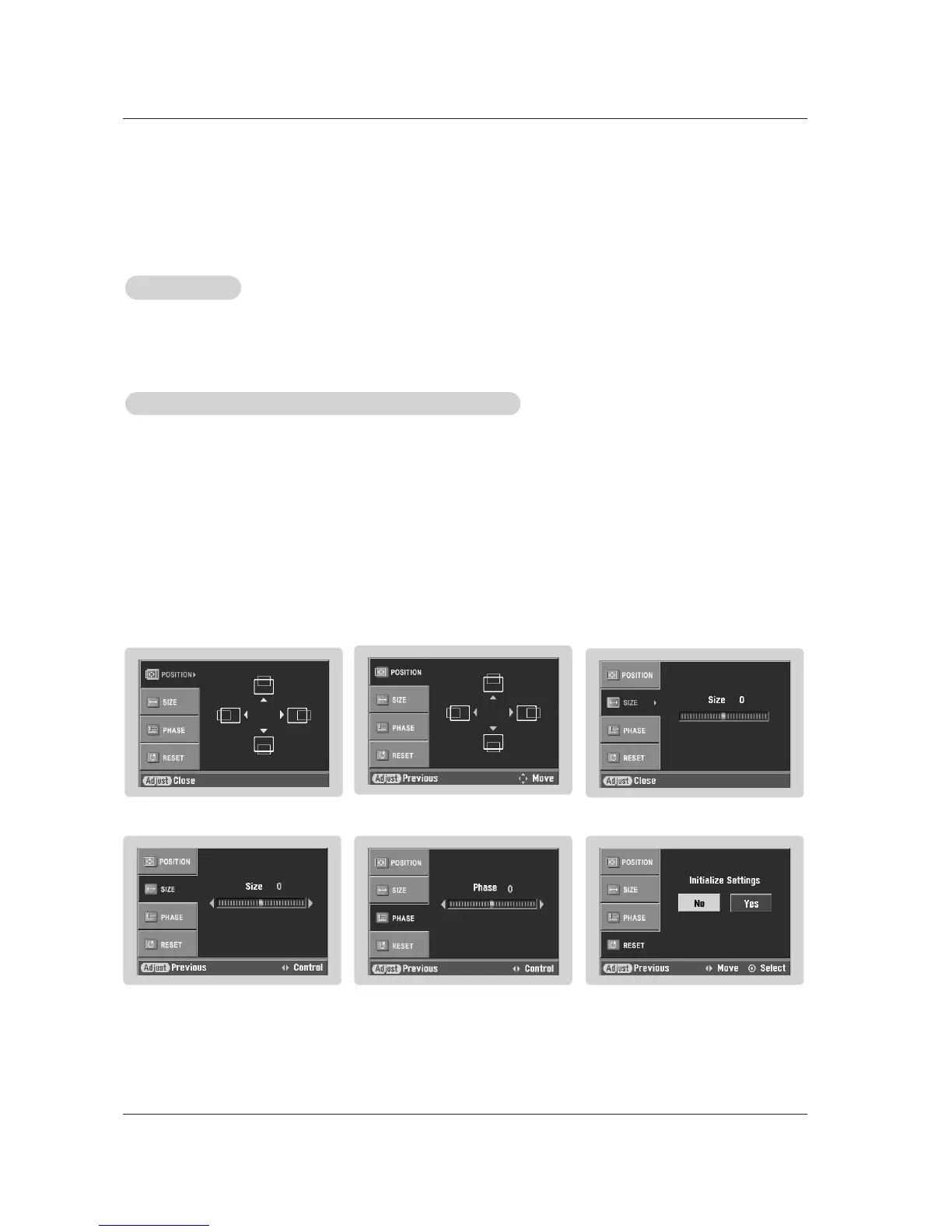
•After connecting RGB-PC or HDMI/DVI to PC input and checking the screen quality.
- Display PC Adjust Menu using ADJUST button.
- Position : Adjust the screen position. After displaying the Adjust, select the screen position.
- Size : Adjust the screen size.
- Phase : Adjust the phase of Pixel clock.
In HDMI/DVI-PC mode, PHASE is not available.
- Reset : Initializating Position, Size, Phase adjustment .
Operation
Operation
Adjustment for screen Position, Size, Phase, Reset
Adjustment for screen Position, Size, Phase, Reset
Screen Setup for PC mode



 To Next Page