one of the two cables. Please secure the connection by means of the
onboard screws.
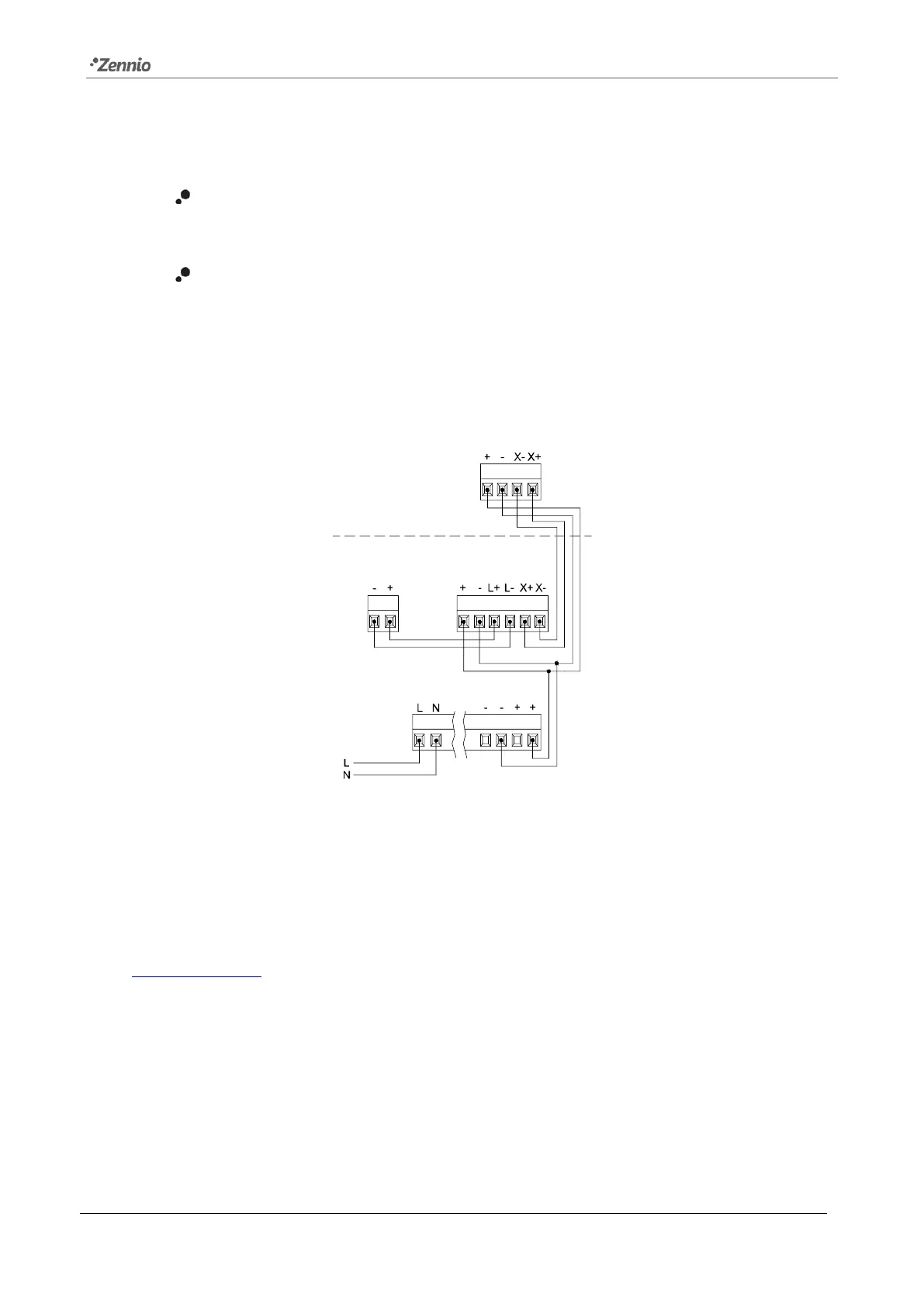
Auxiliary power supply (8): external power of IWAC Display v3 is supplied
from Securel v2 (see Figure 3).
Encrypted communication port (9): input port to connect with Securel v2 to
make it possible the communication between both devices.
Figure 3 shows a connection diagram of IWAC, Securel v2, power supply and electric
strike:
Figure 3. Access Control System connection diagram.
For detailed information about the technical features of the device and for safety
instructions or about the installation process, please refer to the corresponding
Datasheet, bundled with the original package of the device and also available at
www.zennio.com.


 To Next Page