25
24
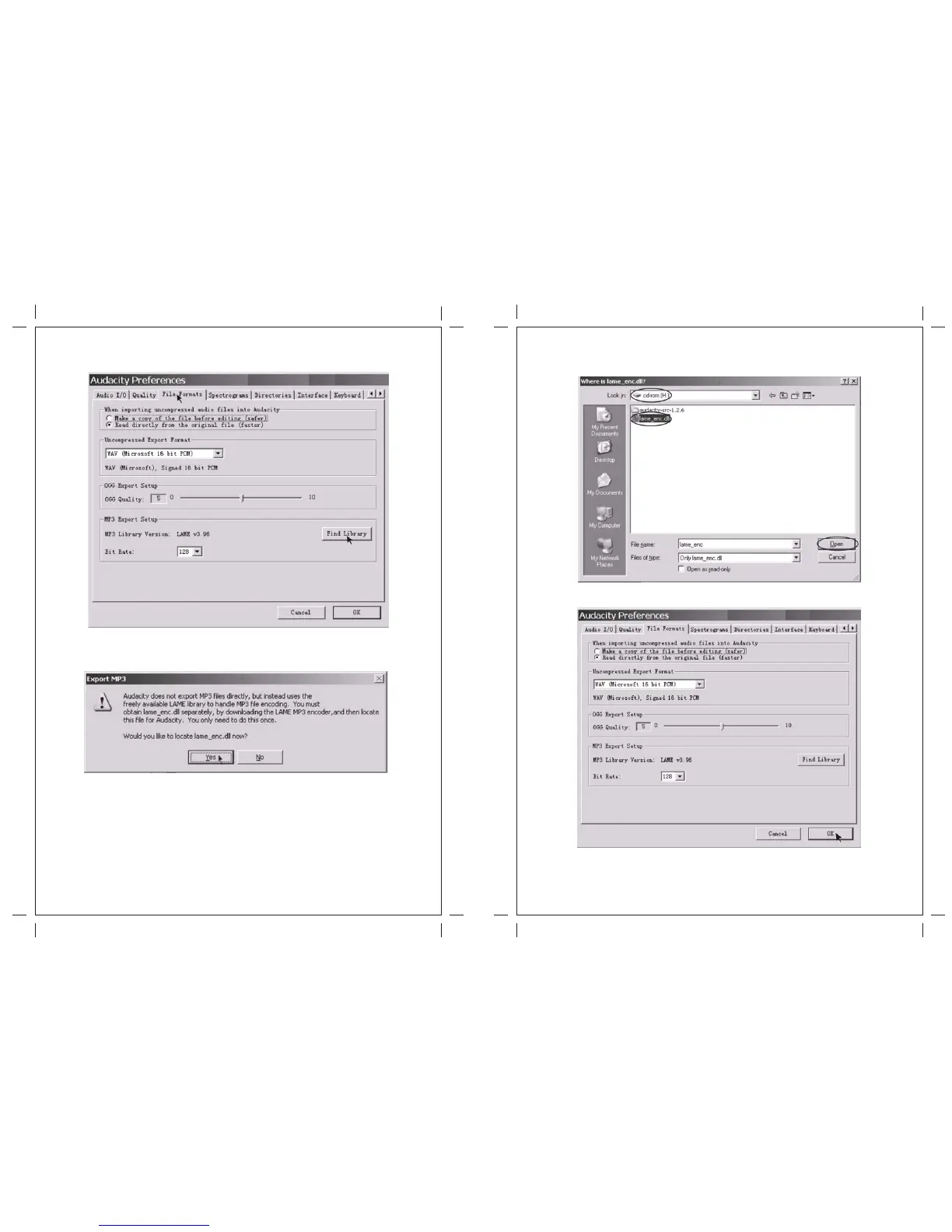
3. Select the File Formats Tab and click on the Find Library Button.
4. A dialog box will appear. Click "Yes".
5. Another box appears to locate the "CD ROM". You will find the “lame_enc.dll” software. Click the
software then click Open.
6. Click on the OK Button.
Now the MP3 software set up is complete and you may proceed with the exporting to MP3 format.


 To Next Page