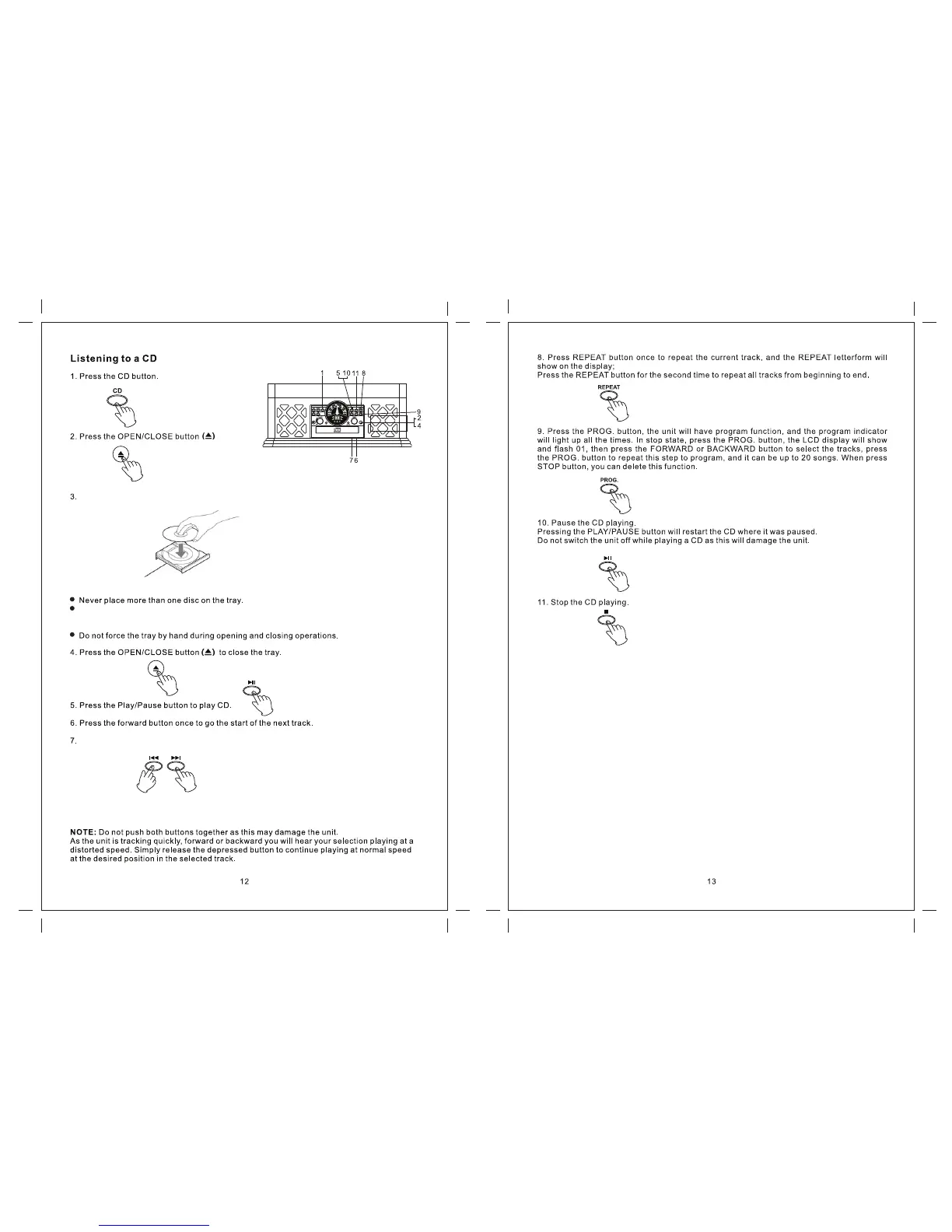
Place a disc on the tray with the printed label face up.
The CD must be placed in the centre of the disc tray. If the CD is not correctly loaded, it may not
be possible to open the tray again once it has closed, so you should ensure the disc is always
centered on the tray.
Press the rewind button once to go back to the start of the current track. Press the rewind button
twice to go back to the start of the previous track.
Fast Rewind and Fast Forward
You can rewind or forward to any point in a selected track by pushing and holding the fast rewind
or fast forward buttons.


 To Next Page