3 LIGHTS BUTTON
- Lights have two levels, Low and High.
- From off, press one time for Low. Press again for High. Press again to power lights off.
4 DISPLAY INDICATORS
Mesh Filter Clean Reminder (always enabled)
- After 30 hours of fan usage, the button indicator will begin to slowly blink indicating it is time to
clean the mesh filters.
- To reset: With hood off: hold the button for three seconds. All LED indicators will blink two times
confirming the 30 hour timer has been reset.
Charcoal Filter Replace Indicator (disabled by default, must be enabled if recirculating hood)
- To enable Charcoal Filter Replacement Reminder:
- With hood off, hold button and button simultaneously for two seconds. All LED indicators
will illuminate for three seconds confirming the Charcoal Filter Replace Reminder is enabled.
- To disable Charcoal Filter Replacement Reminder:
- With hood off, hold button and button simultaneously for two seconds. All LED indicators
will blink two times confirming the Charcoal Filter Replace Reminder is disabled.
- After 120 hours of fan usage the button will slowly blink indicating the charcoal filters need
replacment.
- To reset: With hood off, hold the button for two seconds. All LED indicators will blink two times
confirming the 120 hour timer has been reset.
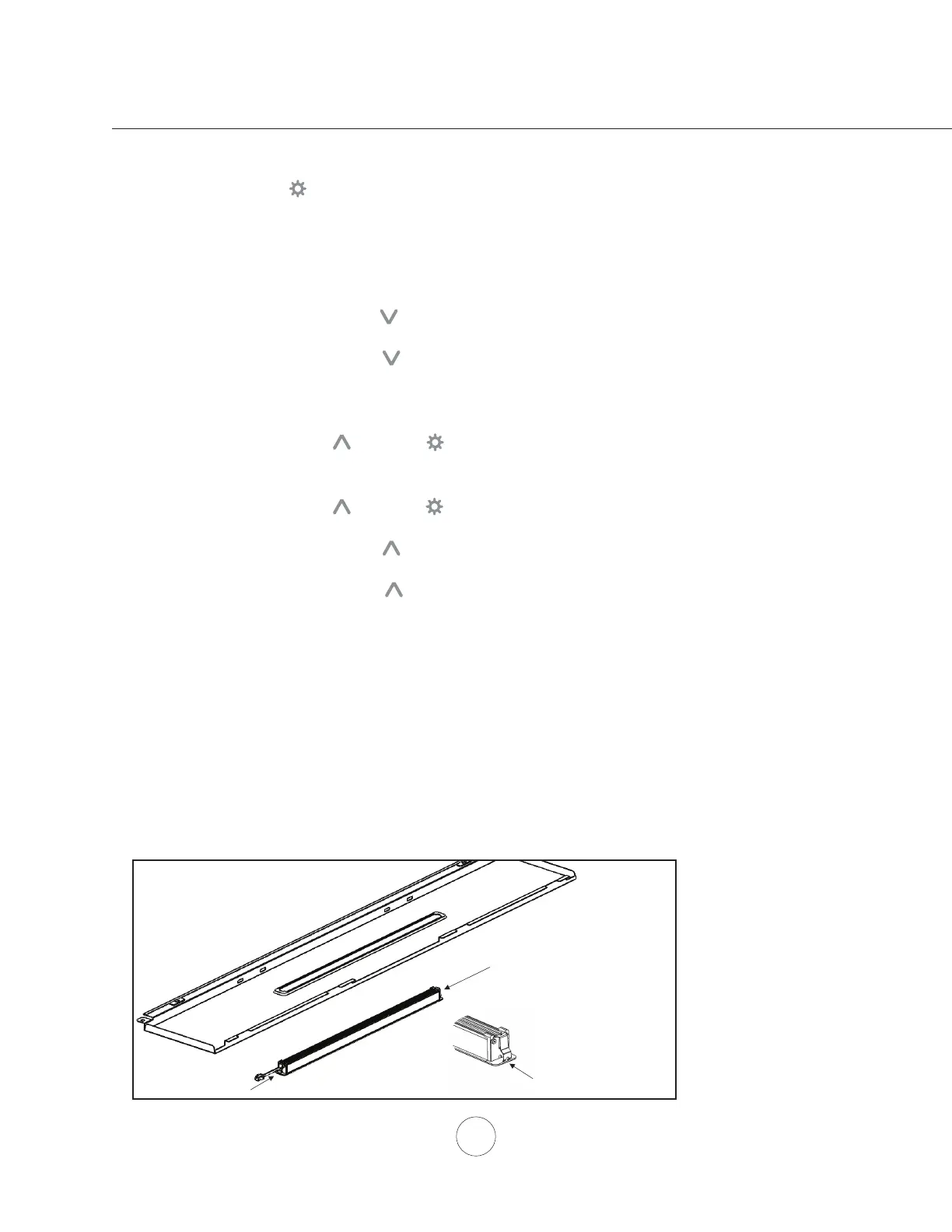
In the unlikely event that your LED strip fails, please contact Zephyr to order replacement parts.
See list of parts and accessories page for part #’s and contact information.
1. Remove aluminum mesh lters.
2. Remove light panel by two screws.
3. Disconnect LED light strip quick connector.
4. Push in the two side clips on the ends of the LED strip.
5. Push LED light strip through the light panel opening.



 To Next Page