3
Operating Panel
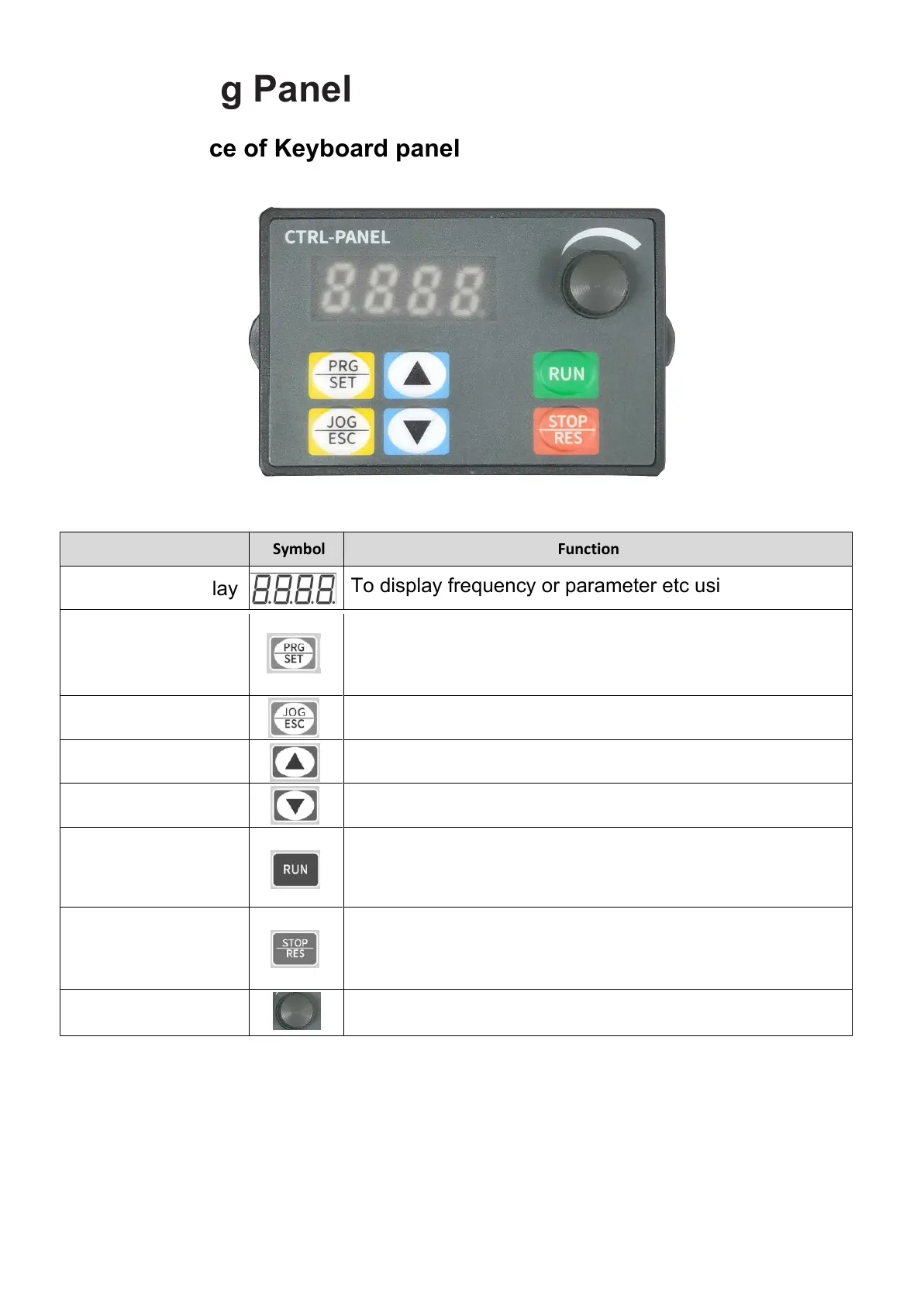
1. Appearance of Keyboard panel
Item
Symbol Function
Digital tube display
To display frequency or parameter etc using LED.
Parameter setting
key
Used to read and modify each group of parameters,
press to enter the parameter group or display the
parameter value.
Jog and return keys
Used for VFD jog operation or parameter setting return
Increment
Decrement
RUN
STOP
Speed control knob
To increase parameter number or parameter set value
To reduce parameter number or parameter set value
To adjust frequency
Stop the VFD when the drive is in the RUNNING
status. Perform a reset operation when the drive is in
the FAULT status.
Start the VFD when using the operating panel control
mode. It is inactive when using the terminal or
communication control mode.
After setting the parameters, return to the original interface method:
1. After power off, power on again.
2. Select parameter d-00, and then press SET key.
3. Long press the SET button



 To Next Page