EasyManua.ls Logo

ZETRON 640 DAPT XTRA - User Manual

Default Icon
210 pages
Print Icon
To Next Page IconTo Next Page
Loading...
Copyright © 2004 by Zetron, Inc.
All Rights Reserved
ZETRON
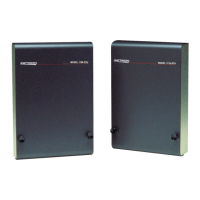
Model 640 DAPT XTRA Paging Terminal
Installation and Repair
Part No. 025-9416C

Table of Contents

Questions and Answers

  • M
    Mrs. Ashley SilvaAug 7, 2025
    Why can't I establish a serial connection with the modem in my ZETRON 640 DAPT XTRA Touch terminals Model 640?
    • R
      Roger TrujilloAug 7, 2025
      If a serial connection with the Model 640 modem fails, it might be due to default settings in newer, high-speed modems. To resolve this, you may need a revised modem initialization string to disable features like Data Compression, Error Correction, and Flow Control.
  • L
    Lynn RamirezAug 14, 2025
    What to do if dialing over an End-to-End (POTS) line fails with ZETRON 640 DAPT XTRA Touch terminals?
    • A
      anthony88Aug 15, 2025
      If dialing over an End-to-End (POTS) line fails, ensure that the dial string to the ZETRON Touch terminals is correct.
  • G
    Gary LoveAug 22, 2025
    How to troubleshoot ZLINK interface issues with ZETRON 640 DAPT XTRA Touch terminals?
    • L
      Linda HebertAug 23, 2025
      If the ZLINK interface isn't establishing correctly with the paging terminal, recheck all communication parameters defined in the terminal emulator program, especially the phone number and baud rate. Also, verify all hardware connections between the office computer and the paging terminal, and all telco connections to the maintenance trunk if you're using a modem interface.
  • K
    Kenneth GreenAug 29, 2025
    Why does my ZETRON 640 DAPT XTRA display strange characters when trying to establish a ZLINK connection?
    • A
      Andrea GriffinAug 29, 2025
      If the ZLINK connection cannot be established and you see strange characters on the screen, it may be because the “ansi.sys” driver is not properly installed on the office computer. To fix this, add the line 'DEVICE=ANSI.SYS' to the “config.sys” file on the computer’s boot disk.

ZETRON 640 DAPT XTRA Specifications

General IconGeneral
BrandZETRON
Model640 DAPT XTRA
CategoryTouch terminals
LanguageEnglish

Related product manuals