VLAN
zNID 24xx Series Configuration Guide
143
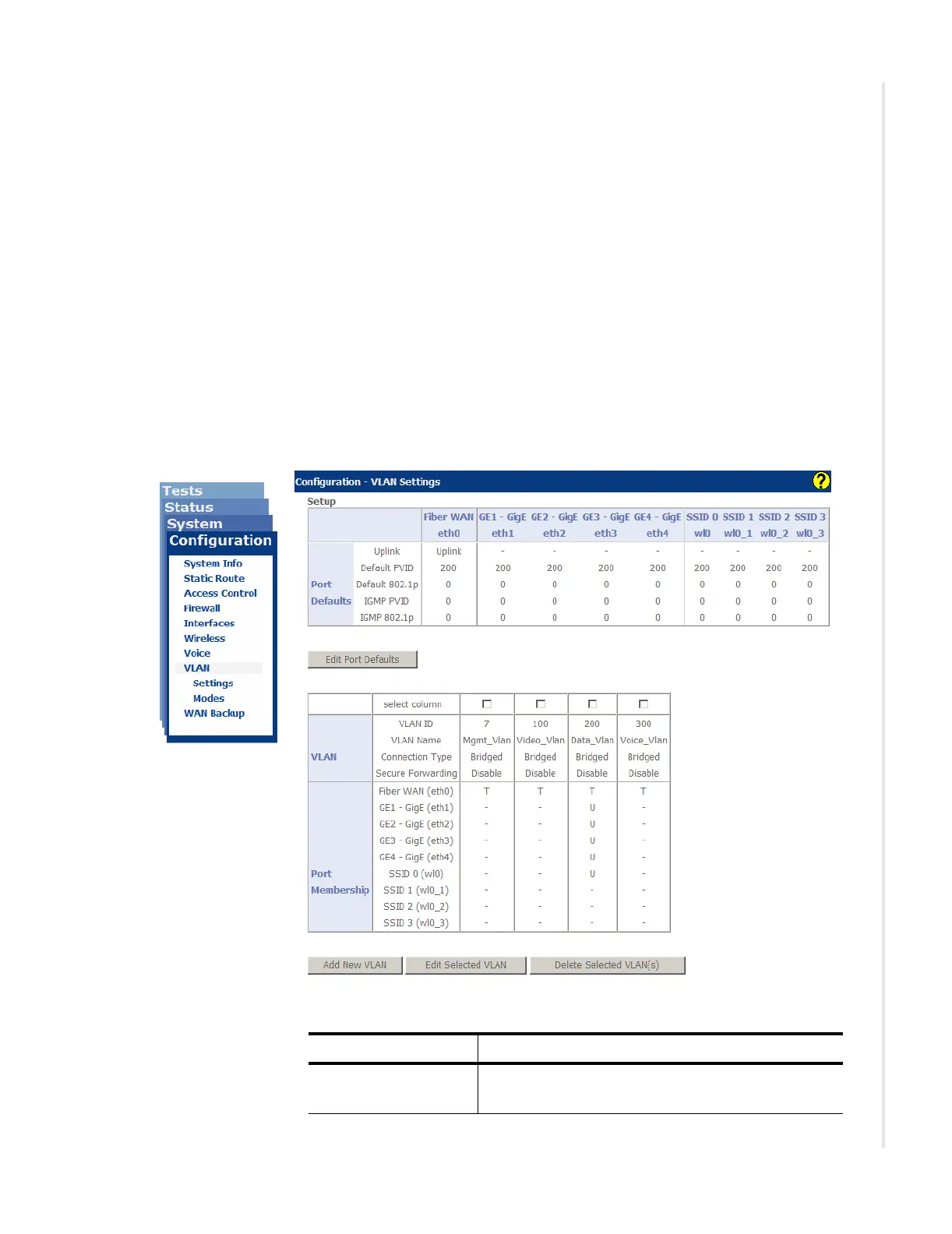
VLAN
The VLAN page both creates and defines VLANs as well as assigns VLANs
to available ports.
The VLAN screen has two tables — port defaults and VLANs and port
membership.
For information about VLAN taggings, see VLANS on page 197.
Settings
The first table displays the configured Port Defaults including which
interface has been configured to be the uplink, the default VLAN ID and
802.1p priority tag which will be applied to untagged traffic on ingress of
each port, and the Port Filtering enable/disable per port.
Figure 108: Configuration | VLAN page
Table 51: Port Defaults
UI Label Description
Port Type Indicates which interface is accessing the global
network (designated as Uplink).


 To Next Page
 Loading...
