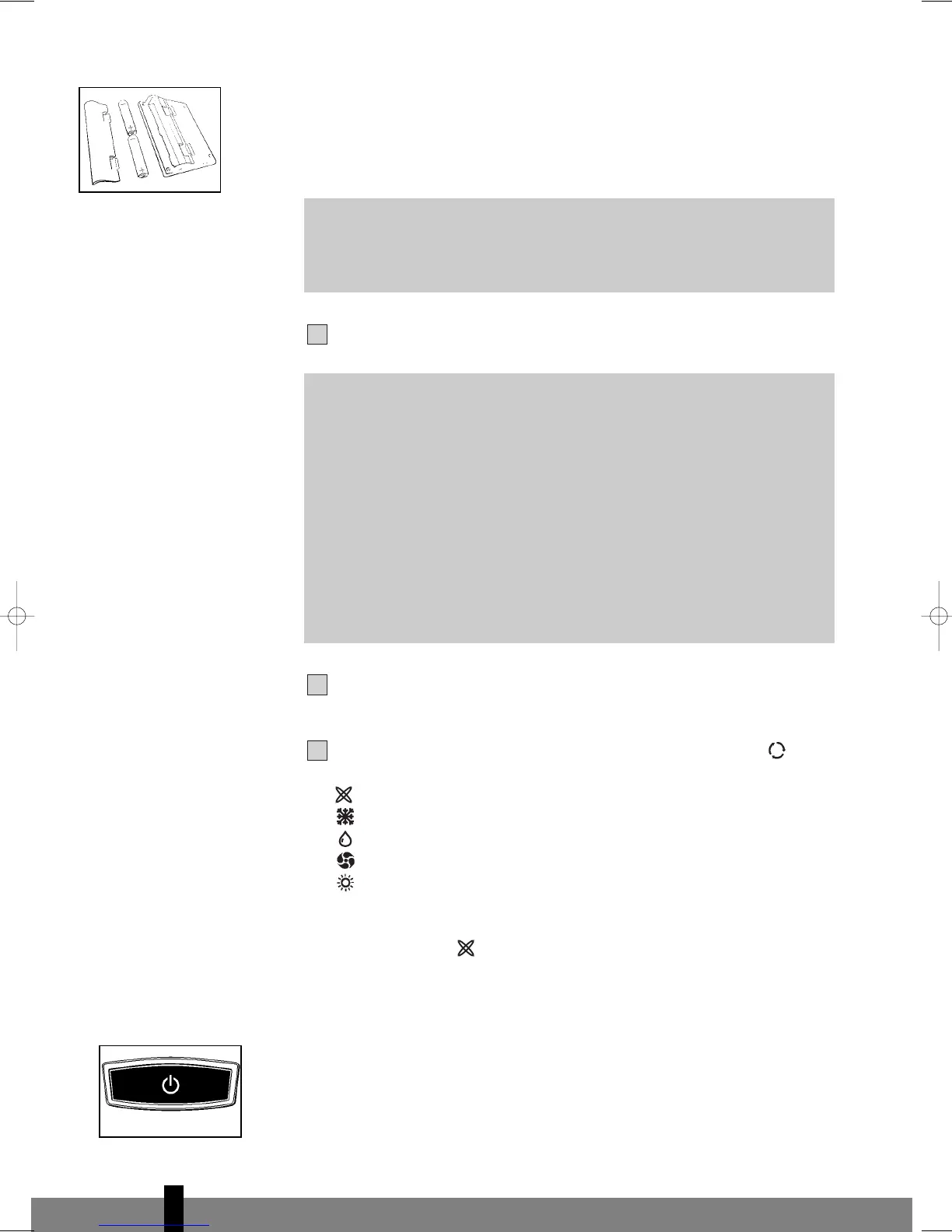
PLACING BATTERIES IN THE REMOTE CONTROL
Remove the battery cover by pressing the lips in and then pulling the cover
t
oward you. Place the new batteries as indicated (pay attention to the plus- (+)
and minus poles (-). Now replace the battery cover.
Push the plug into the socket.
Press the C/F-button to set °C (Celsius) or °F (Fahrenheit).
The default setting is °C (Celsius).
The following functions can be selected with the mode button on the
remote control.
Automatic regulation of ventilator speed
Cooling;
Dehumidifying;
Circulating;
Heating (PH733).
AUTOMA
TIC
In the automatic mode , the device will cool, dehumidify or heat depending on
the ambient temperature. When the temperature in the room changes, the mode
changes automatically in or
der to maintain the desired temperature as accurately
as possible. The ventilator speed also adjusts automatically. The colour of the
transparent ring around the button on the front of the device
B will change
depending on the mode.
COOLING
When the cooling mode is activated, the transpar
ent ring ar
ound the button on
the fr
ont of the device
B emits a BLUE light.
G
ATTENTION!
If the airconditioner does not respond to the remote control, follow the
following procedures:
• Ensure that there are batteries in the remote control.
• Ensure that the plug of the airconditioner is inserted in the socket
and switched off.
• Press the on/off button on the unit until you hear a beep (you will
hear a beep after 8 seconds). After the beep you can release the
button.
• Briefly press the on/off button of the remote control.
• The remote control is r
eady for use after the beep signal.
G
NOTE!
Use 2 AAA (1.5 Volt) batteries. Do not use rechargeable batteries.
Replace batteries with new batteries of the same type when the display
becomes fuzzy or the signal deteriorates.
4
94
Cooling mode (blue)
man_uk_P7xx.qxd 08-11-2006 15:22 Pagina 94



 To Next Page