Need help?
Do you have a question about the Zibro PX 738 and is the answer not in the manual?
Comprehensive list of safety precautions for device operation.
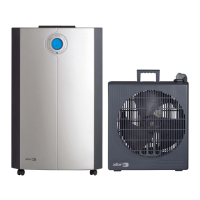
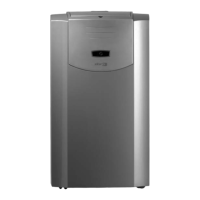
Detailed identification of all unit components and their numbered references.
Regulations for safe installation and electrical connection of the unit.
Rules for safe operation, maintenance, child safety, and device handling.
Steps before operation, including upright placement and unit positioning for stability.
Specific clearance distances for indoor and outdoor units for optimal airflow.
Guidance on positioning the unit near a window for the connection tube.
Tips for cooling, airflow warnings, and connection tube care.
Explanation of the control panel layout, LCD display, and symbols.
How to operate manually and install batteries in the remote control.
Steps to resolve issues if the remote control is unresponsive.
Setting the temperature display between Celsius and Fahrenheit.
Selecting operating modes like Cooling, Dehumidifying, Circulating.
Adjusting fan speed and setting the desired temperature.
Specifics of dehumidification mode, including fixed fan speed.
Details on circulation mode, including adjustable fan speed.
How the automatic mode adjusts settings based on ambient temperature.
Information on condensation water discharge and drainage.
How to set the timer for switching the device on or off.
Steps to set the device's internal clock.
Notes on display light, compressor delay, and remote control care.
Overview of the 3-layer filter system: mesh, Filtrete, and carbon.
Guidance on cleaning mesh filters and replacing Filtrete/carbon filters.
How the blinking light signals replacement and the steps to follow.
Important notes on filter usage, including not operating without the mesh filter.
How to change air flow direction using louvers.
How condensation water is managed and when accumulation occurs.
Red flashing light indicates a full reservoir; unit shuts off automatically.
Detailed steps to safely drain the water from the unit.
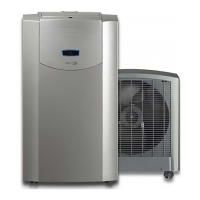
Step-by-step instructions for safely disconnecting the indoor and outdoor units.
Step-by-step instructions for reconnecting the indoor and outdoor units.
Critical warnings about storing units disconnected and operating with disconnected connectors.
Completing connection, applying isolation material, and securing covers.
Warnings regarding proper isolation of refrigerant tubes to prevent condensation.
Guidelines for cleaning the exterior and referring to filter maintenance.
Steps for preparing the unit for storage, including filter removal and drying.
Guidelines for storing the unit safely and properly.
Identifies common problems, their causes, and solutions.
Addresses the issue of a red flashing light indicating a full water reservoir.
Addresses issues indicated by blue flashing lights related to sensors.
Solutions for no power, insufficient cooling, or noise.
Solutions for compressor not working or remote control unresponsiveness.
Details the 24-month guarantee period and what it covers.
Conditions that will void the guarantee, such as modifications or misuse.
Purchaser's responsibilities for costs and exclusions from coverage.
Specifications for model, cooling capacity, and energy efficiency.
Technical data on power, mains voltage, and dehumidification capacity.
Dimensions, weight, refrigerant, operating ranges, and noise levels.
Details on compressor type, fan speeds, tube length, and protection ratings.
 General
| Brand | Zibro |
|---|---|
| Model | PX 738 |
| Category | Air Conditioner |
| Language | English |

 To Next Page