EasyManua.ls Logo

ZIGBEE ENVILAR ZG102-BOX-UNIDIM - User Manual

ZIGBEE ENVILAR ZG102-BOX-UNIDIM
4 pages
To Next Page IconTo Next Page
Loading...
BRADICO ApS Fåborgvej 15A, 9220 Aalborg Øst CVR: 39445409 Tlf. 71 99 29 23
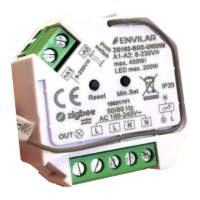
ENVILAR ZG102-BOX-UNIDIM
EAN: 5712716078505
Sikkerhed og advarsler/Safety & Warnings
DA:
Sluk strømmen før installation af produktet.
Udsæt ikke produktet for fugt.
Skal installeres af autoriseret el-installatør.
Kan monteres i el godkendte samledåser
EN:
DO NOT install with power applied to device.
DO NOT expose the device to moisture.
Must be installed by certified electrician.
Tilslutningsdiagram/Connection diagram
Produktdata/Product data
Belastning/Compatible Load
LED – 0-200W
Halogen/Incandescent lighting (glødepærer) : 0-400W!
Egenskaber/Specifications
DA
EN
Zigbee universal
lysdæmper/lysstyring baseret på
seneste ZigBee 3.0 protocol
Bagkantslysdæmper (CR)
Skrueterminaler til
ledningsfastgørelse
Styring af Tænd/Sluk, Dæmpning af
halogen og led lys.
Kan parres direkte med kompatible
Touchlink Fjernbetjeninger.
Kompatibel med universale ZigBee
gateway produkter.
Kan kontrolleres via 8-230V input via
fjedertryk (push).
Radio Frekvens : 2.4GHz
IP20
ZigBee universal LED dimmer based
on latest ZigBee 3.0 protocol
Trailing Edge dimmer
Input and Output with Screw
Terminals.
Enables to control ON/OFF and light
intensity of connected dimmable
led light or led driver.
Can directly pair to a compatible
ZigBee remote via Touchlink .
Compatible with universal ZigBee
gateway products
Can be controlled by universal 8-
230V input single wire push switch
Radio Frequency : 2.4GHz
IP20
!
!
!
Input Voltage
Output Voltage
Output Current
Size(LxWxH)
100-240VAC
100-240VAC
1.5A max
45.5x45x20.3mm
!
Question and Answer IconNeed help?

Do you have a question about the ZIGBEE ENVILAR ZG102-BOX-UNIDIM and is the answer not in the manual?

ZIGBEE ENVILAR ZG102-BOX-UNIDIM Specifications

General IconGeneral
BrandZIGBEE
ModelENVILAR ZG102-BOX-UNIDIM
CategorySecurity Sensors
LanguageEnglish

Summary

Safety and Warnings

General Safety and Installation Warnings

Essential safety precautions and installation guidelines for the device, including power disconnection and moisture avoidance.

Product Specifications and Features

Compatible Load

Details the types and wattage of lighting loads compatible with the dimmer, including LED and Halogen.

Device Specifications

Key features of the Zigbee dimmer, including protocol, dimming type, terminals, control options, and connectivity.

Device Operation and Application

Installation and Wiring

Instructions for connecting the device according to the provided wiring diagram.

Zigbee Communication

Describes the device's function as a wireless receiver communicating with Zigbee systems.

Pairing with Zigbee Gateway

Steps for pairing the device with a Zigbee gateway or controller, including network mode activation.

Controlling by Push Switch

Instructions on how to control the device using a standard 8-230V push switch.

Touchlink Remote Control and Settings

Touchlink Pairing Procedure

Step-by-step guide for establishing a Touchlink connection between the device and a remote.

Factory Reset

Procedure to reset the device to factory default settings, deleting all configurations.

Minimum Brightness Setting

Instructions on how to set and adjust the minimum dimming level for connected lights.

Delete Minimum Brightness Setting

Procedure to delete the previously set minimum brightness level.