31
Switch on light/device to be paired. Switch off all
other ZigBee compatible lights/devices. Now move
the Q remote control right up close to the light/device
to be paired (≤10 cm distance from the antenna) and
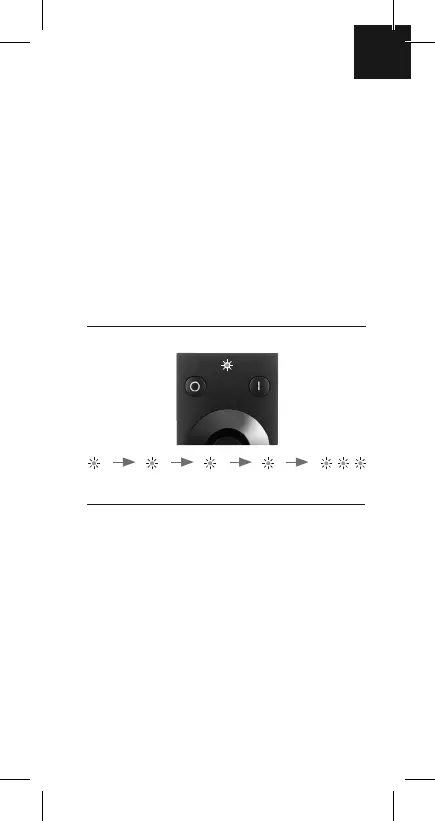
hold down one of the group keys (1 | to | 3) until the
status LED flashes four times for a second at a time
and then three times briefly in succession (please do
not interrupt this process). Then let go of the group
key.
As a response from the light/device there are three
brief flashes and then after 1-3 seconds a single flash.
The light/device has now been successfully paired.
If the light fails to flash once more, the link has not
been established. Please repeat the process or see
guidance at point 12.
A light/device can simultaneously be assigned to up
to 3 groups. To do this, repeat the process using the
relevant groups keys, as described above.
GB
5. Programme light/device to
remote control system
Status LED
flashes
1 sec. 2 secs. 3 secs. 4 secs. 5 secs.


 To Next Page
 Loading...