32
6.1. Remove light/device from
the groups
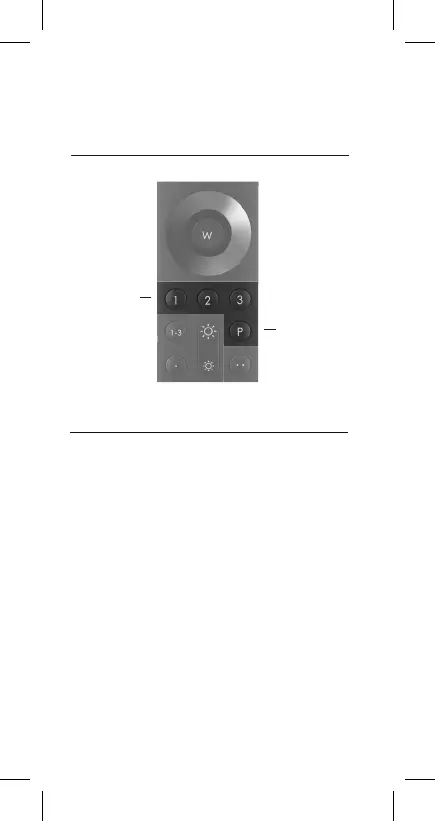
To remove a light/device from a group, please select
the group concerned via keys 1 | to | 3. Now manually
switch off all lights/devices (via wall or pull cord
switches) and leave on only the product that is to
be removed. Hold the Q remote control unit close to
the product (≤10 cm) and hold down the P key for
five seconds. Now the light/device flashes, signalling
successful removal from the group.
Group keys
1 | 2 | 3:
Please select the
relevant group
from which you
want to remove
lights/devices
via the remote
control
P key


 To Next Page