34
7. Create, save or delete scenes
Switch on all lights/devices to be included in the
scene. Now switch all lights/devices to the desired
operating state (e.g. dim lights accordingly or select
the desired colour setting, as described at points 1.
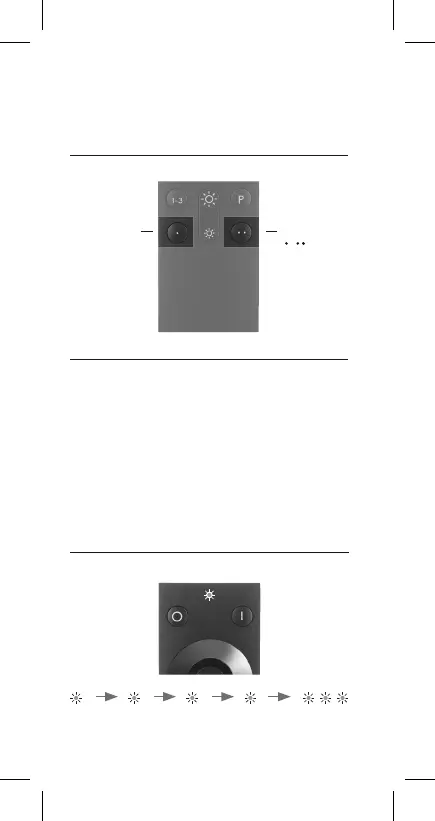
to 4.). Then hold down one of the Q remote control
unit‘s two scene buttons for 5 seconds. Status LED
flashes four times for a second at a time and then
three times briefly in succession. The scene has been
saved.
Keys
|
A maximum of
2 scenes can be
saved to the
scene keys
To save
scenes, hold
down the scene
keys for at least
5 seconds until
the status LED
fl ashes. Scenes can
be activated by a
brief key press
Status LED
fl ashes
1 sec.
2 secs. 3 secs. 4 secs. 5 secs.


 To Next Page