39
GB
To reset ZigBee-compatible lights/devices to factory
settings using the Q-RC, proceed as follows: Please
switch on the lights/devices that you want to reset.
Switch on all other ZigBee compatible lights/devices
via mains switches.
Move the Q-RC up close to the light/device (distance
to the antenna ≤10 cm) and hold down both the
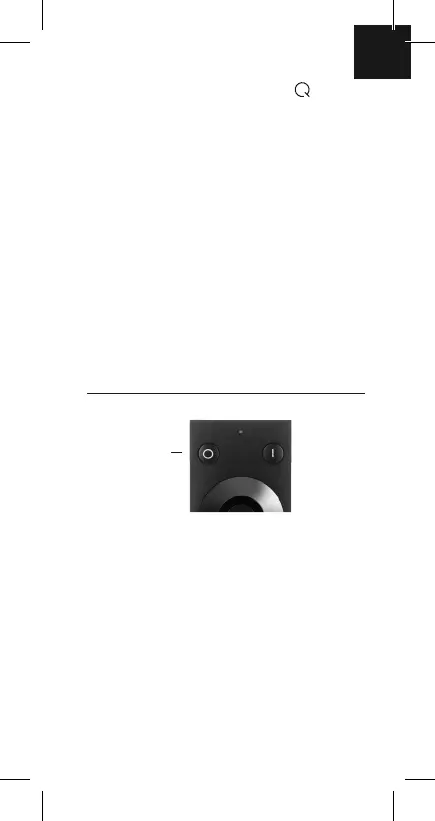
remote control‘s ‚On‘ and ‚Off‘ keys for more than 5
seconds.
Light/device flashes several times, signalling that it
has been successfully reset.
11.Reset lights/devices via
®
remote control
On/Off keys:
to reset, hold
down both keys
simultaneously
for more than
5 seconds.


 To Next Page