UM026803-0816 Start the S3F8S19 Ledblink Sample Program
S3F8S19 Development Kit
User Manual
7
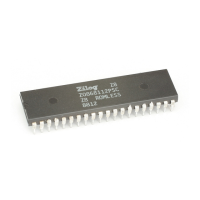
3. Select the ledblink.zdsproj project from within the ledblink_asm folder as
indicated in Figure 8 and click
Open. A list of source files will appear in the Work-
space panel.
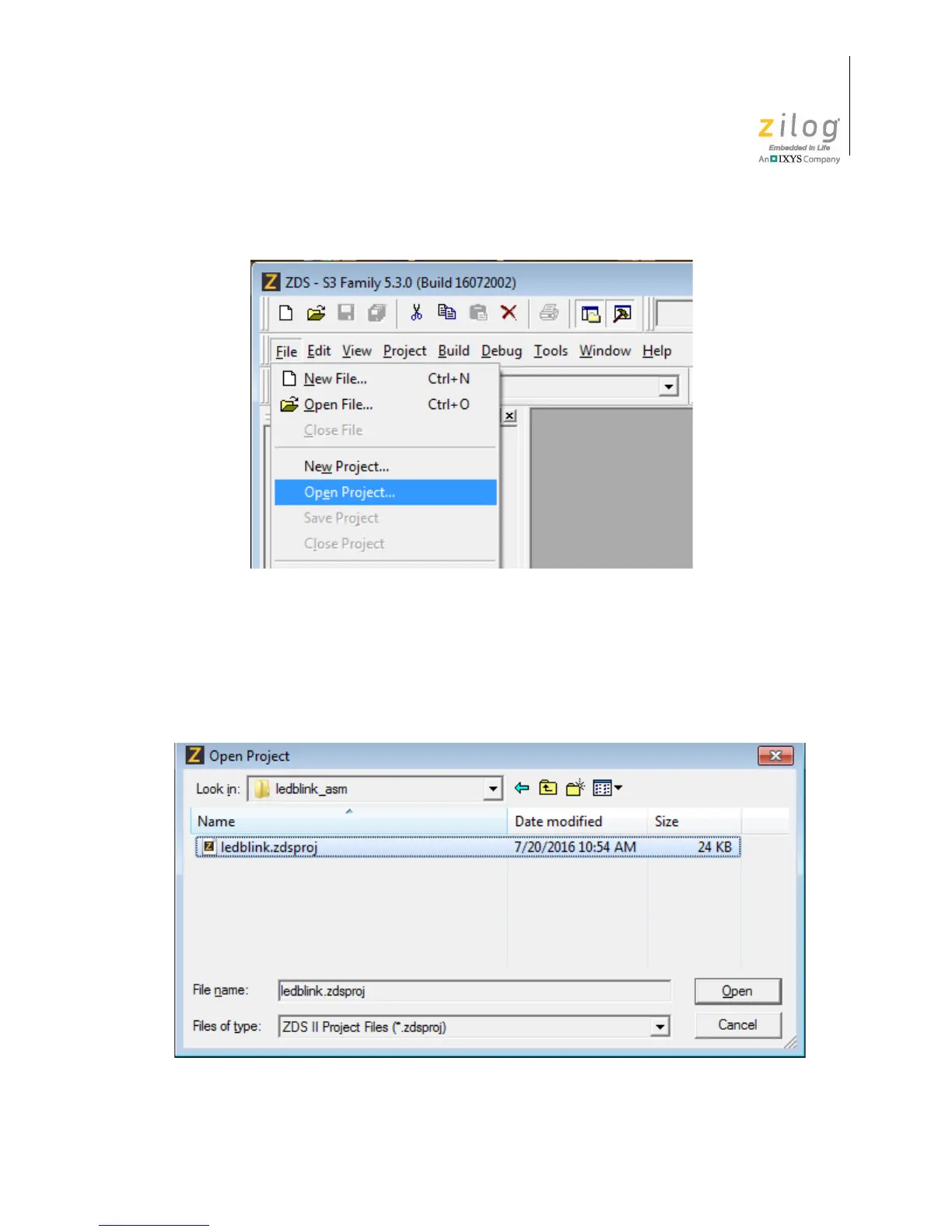
Figure 7. The Open Project Selection in the File Menu
Figure 8. Select the ledblink.zdsproj Project



 To Next Page