37Front Hub Bearing Installation
Front Hub Bearing Installation
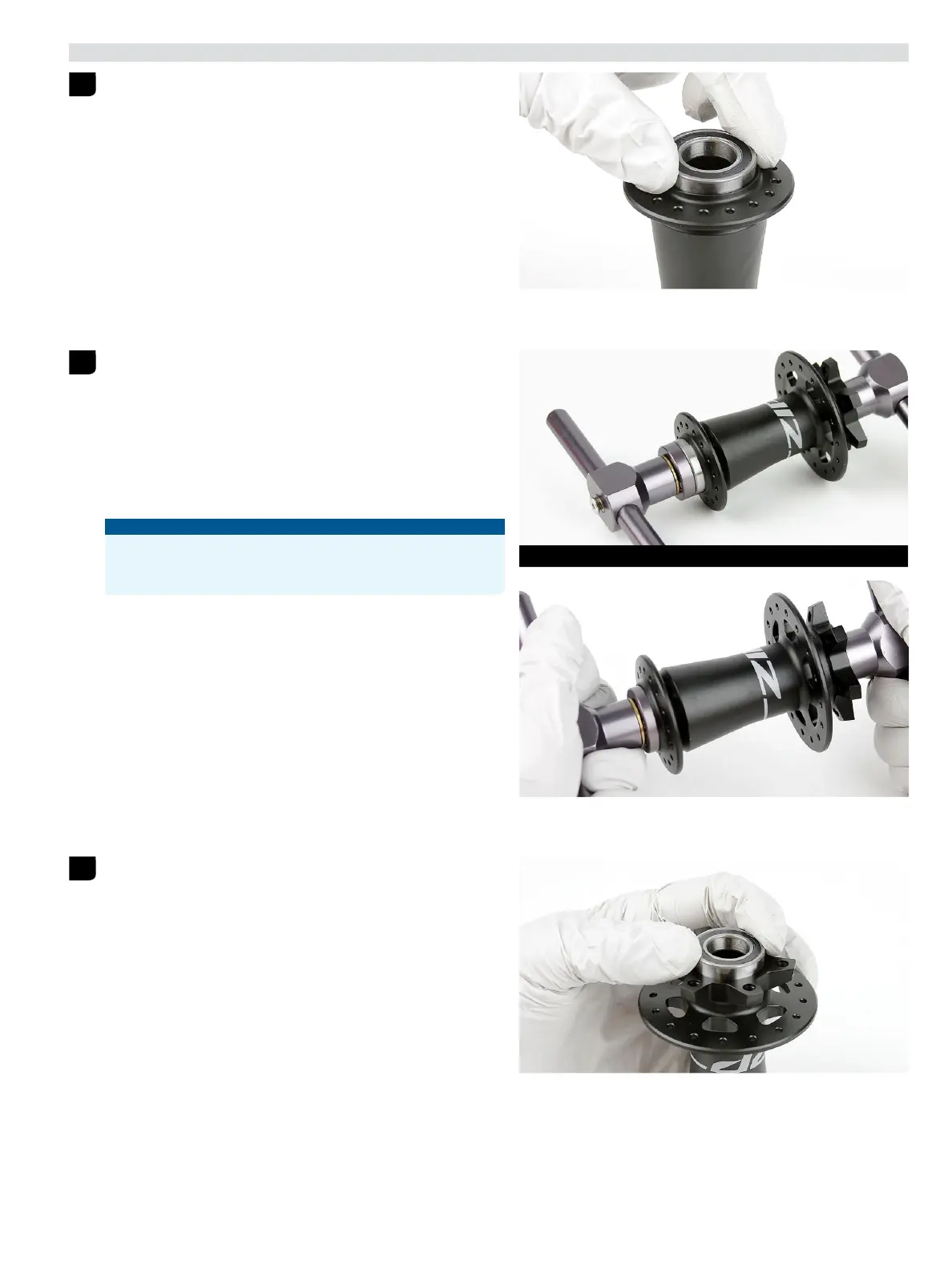
Install a new Zipp 6903/61903 hub bearing into the drive side of the
hub with the black seal facing outward.
Note: Ceramic bearings have blue seals on both sides of the bearing;
installation orientation is not important.
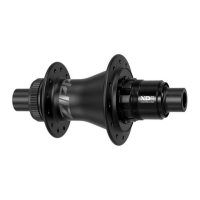
Slide a 6903 30x17 tool onto the Press Tool threaded rod.
Insert the threaded rod through the bearing on the drive side of the
hub shell. Slide a second 6903 30x17 tool onto the threaded rod.
Thread the Press Tool handle onto the threaded rod.
Turn the handle clockwise to press the bearing into the hub until it is
hand-tight.
Do not overtighten the bearing.
Remove the tools.
NOTICE
To prevent damage when pressing the bearing into the hub, make
sure that the bearing press tools contact both the inner and outer
bearing races or bearing bores and not the hub shell.
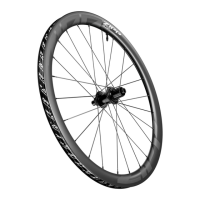
Install a new Zipp 6903/61903 hub bearing into the non-drive side of
the hub with the black seal facing outward.
Note: Ceramic bearings have blue seals on both sides of the bearing;
installation orientation is not important.
1
2
6903 30x17 6903 30x17
3


 To Next Page