27
ASSEMBLY MANUAL
CAUTION! Follow the steps below during the assembly and use tools supplied with the product.
Prepare sufficient space for the assembly operation.
It is advisable to assemble the product with another person because of the weight of some elements.
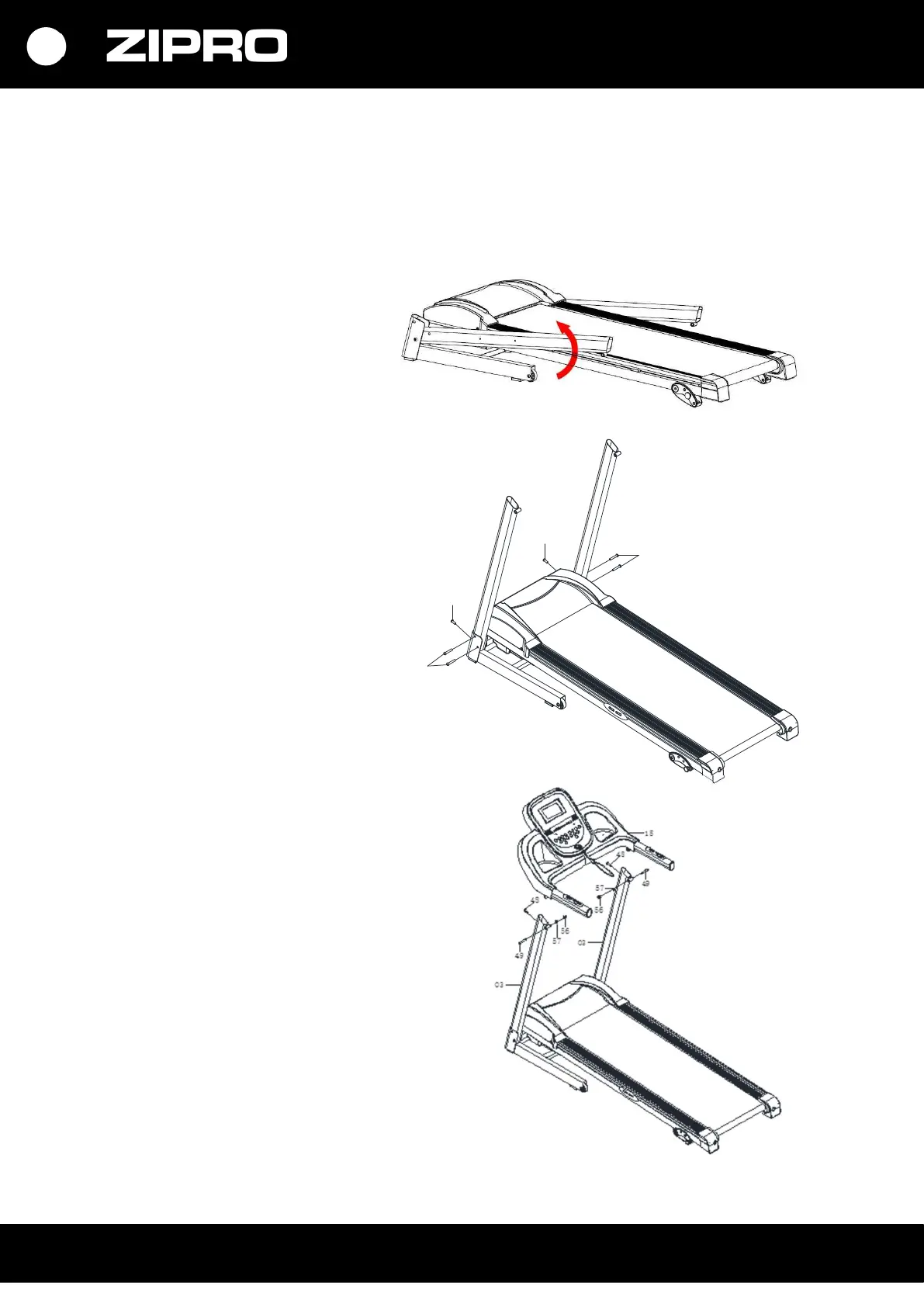
Step 1
Erect the left and right treadmill column
as shown in the picture.
Take care not to exert excessive pressure
during assembly/disassembly.
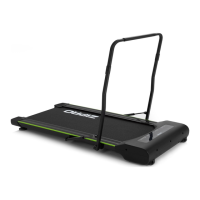
Step 2
Fix the columns to the lower frame using
bolts M8*45 (49) and M8*15 (46).
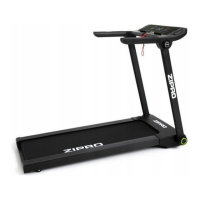
Step 3
Fix the computer (15) to the right
and left column of the treadmill (03).
Secure it with bolt M8*45 (49),
washer D8 (57), and nut M8 (56)
and then with hexagonal bolts M8*25 (48).
49
49
46
46


 To Next Page