FaceDepot-7BL
User Manual
Page | 73 Copyright©2020 ZKTECO CO., LTD. All rights reserved.
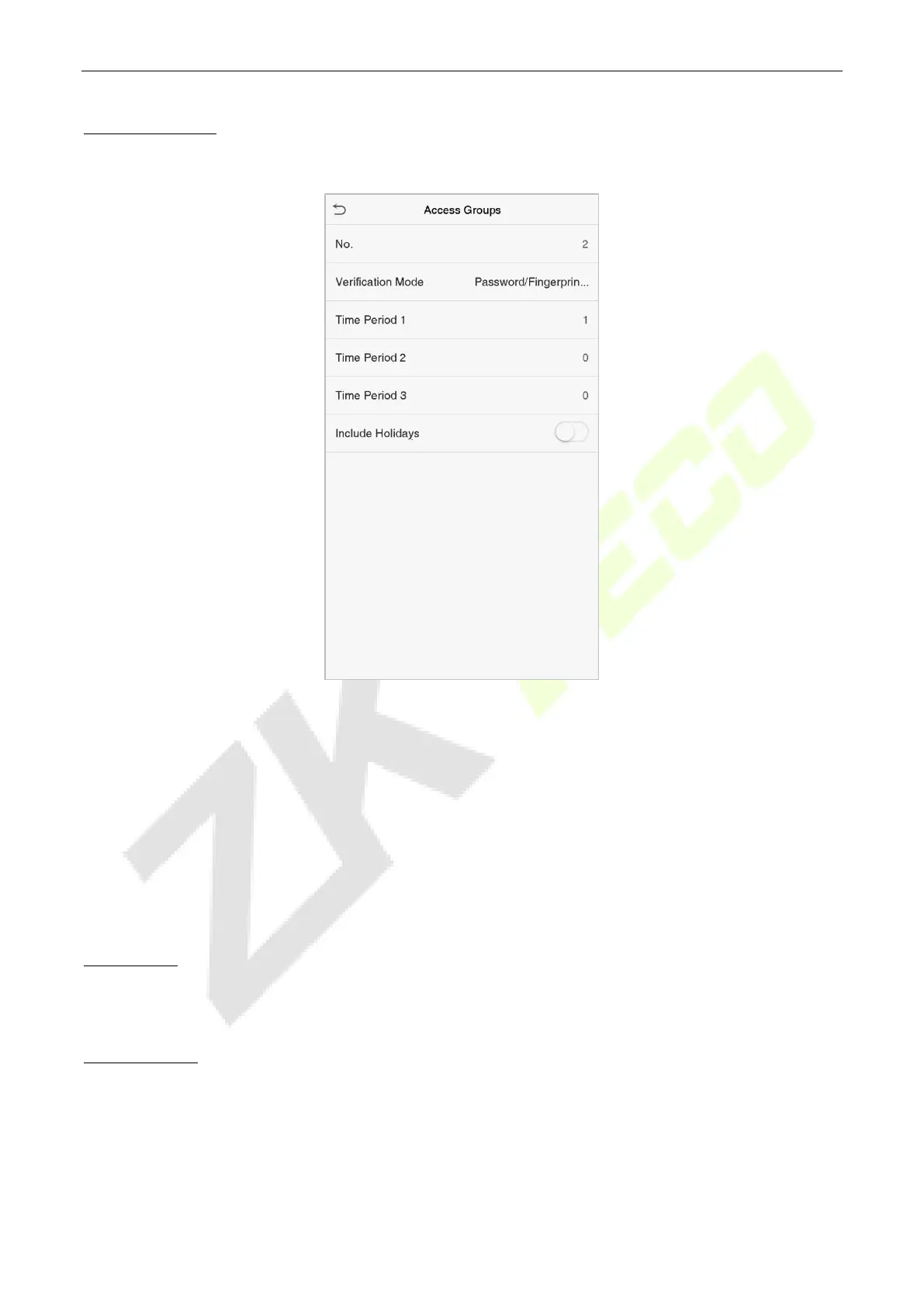
Add a New Group
Click New Group on the Access Groups interface and set the access group parameters.
Note:
1. There is a default access group numbered 1, which cannot be deleted but can be modified.
2. A number cannot be modified after being set.
3. When the holiday is set to be valid, personnel in a group may only open the door when the group
time zone overlaps with the holiday time period.
4. When the holiday is set to be invalid, the access control time of the personnel in a group is not
affected during holidays.
Edit a Group
On the All Groups interface, select the access group item to be modified. Click Edit and modify the access
group parameters.
Delete a Group
On the All Groups interface, select the access group item to be deleted and click Delete. Click OK to
confirm the deletion. The deleted access group is no longer displayed in All Groups.


 To Next Page