| ULTIMA Admin UI USER GUIDE
8
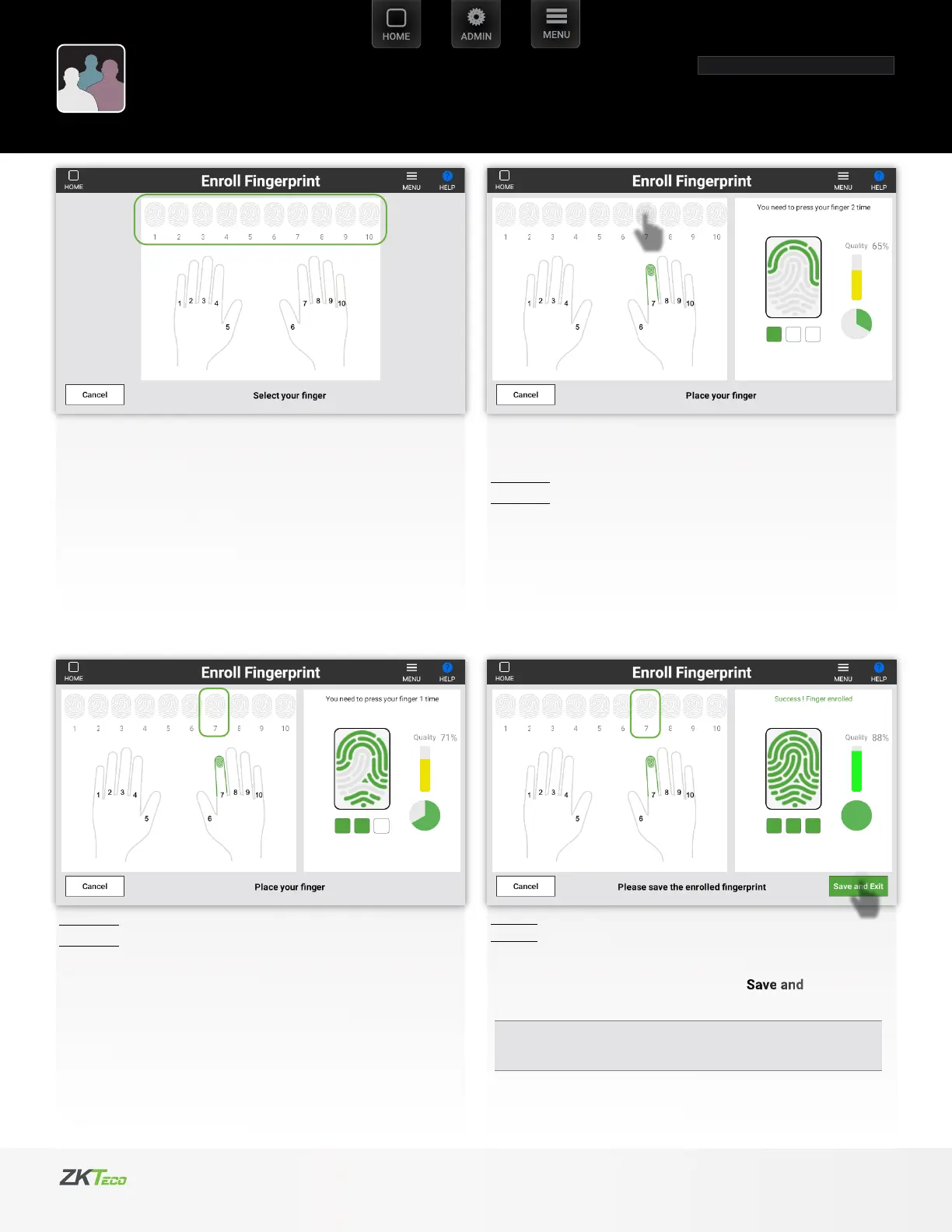
Step 2
Repeat the process
Select any available ngerprint to be scanned.
Step 3
Repeat the process. If successful Select Exit
If scanning quality is inadequate it will fail. So you need to start
to scanning process again
Scanning process takes 3 steps
Step 1
For instance:
Select number 7 (index nger).
Place your index nger on to scanner bed rmly.
User Manager
Fingerprint Enrollment
o
o


 To Next Page
 Loading...